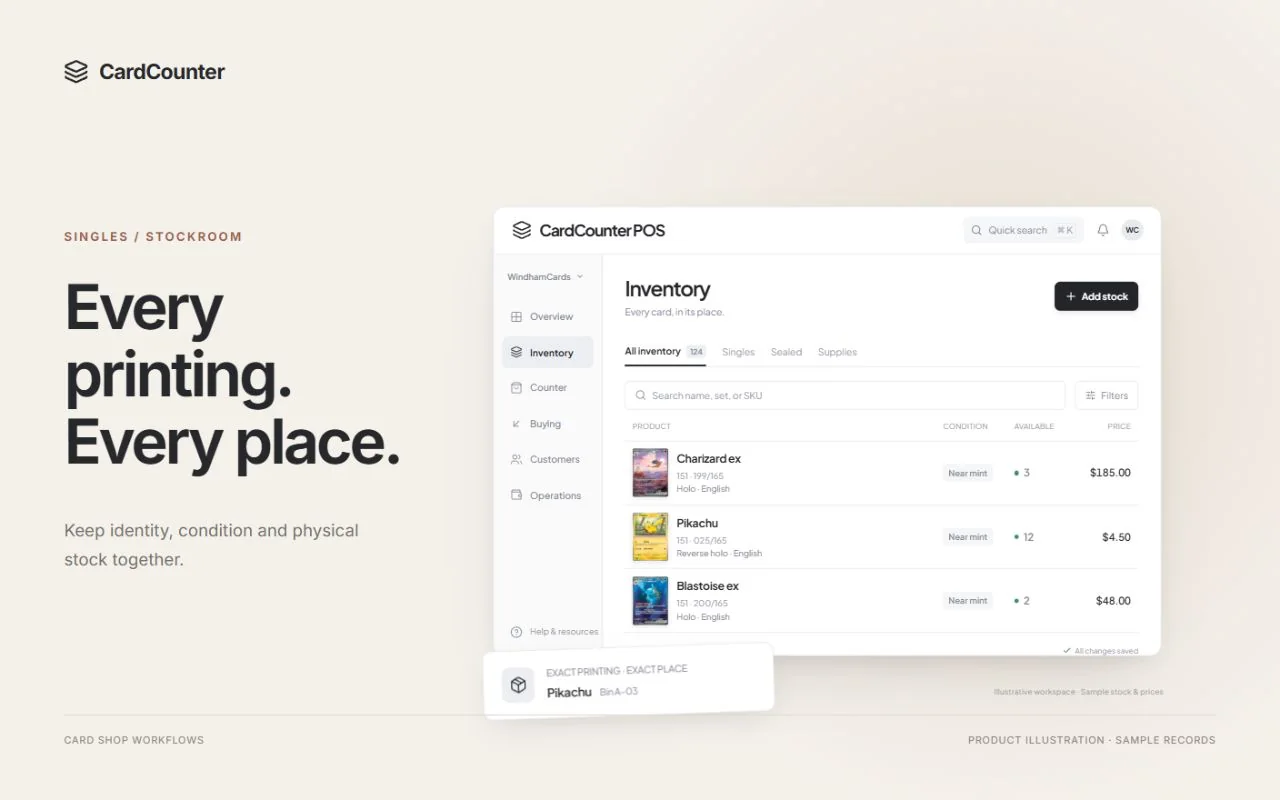
What to take into the demo
- On hand describes recorded physical stock; availability also accounts for active commitments and eligibility.
- A parked item list, a valid stock hold and a completed sale are different records.
- Review the exact SKU, location and current hold before promising the last copy.
Start with the quantity you can promise another customer
Available inventory is the stock your shop can currently sell, while on-hand inventory is the quantity physically recorded at a location. Those numbers can differ because some copies are already reserved or are not eligible for sale. For a sellable CardCounter stock position, the documented rule is available equals on hand minus active holds. Expected supplier deliveries are separate until received.
Imagine a customer asks for the last foil copy in your display. Seeing the card proves that something is physically there; it does not establish that another customer has no valid claim on it. Before making a promise, identify the exact shop item, check its current availability and confirm where that copy belongs. A quick look at yesterday’s stock export is not the same check.
This guide focuses on that availability decision. Physical organization, condition labels and bin design matter too, but they answer a different question: can another employee find the correct item? Once the item is found, staff still need to know whether it is eligible for this sale, already committed elsewhere or waiting for another recorded step.
Sources: CardCounter Help: Find products and read stock; CardCounter Help: Shop terms and record states
Compare the same exact item at the same location
An availability number only makes sense when its identity is clear. Compare the same game, set, collector number, language, finish and merchant condition. A regular-finish card and a foil version are not interchangeable stock. Neither are a Near Mint copy and a visibly worn copy, even if their names match and both sit in the same display case.
Use a fictional item called Nova Dragon for a simple exercise. The shop has five inspected, sellable copies of one exact variant at its main location. A search across every finish or location may show a larger total, but that total cannot answer whether the cashier can sell three of this variant now. Open the exact stock record and read the relevant location.
CardCounter’s stock handbook separates owned inventory searches from public catalog searches and explains the available, held and location views. A catalog match is a product identity, not evidence that the shop owns a copy. If a record seems missing, review filters, location and item status before creating a duplicate SKU or adding quantity to make the search look right.
Follow five copies through a hold and a sale
Start the fictional Nova Dragon example with five sellable copies on hand and no holds. All five are available. A valid reservation for two copies leaves the physical total at five but reduces the quantity available to other customers to three. Staff should not subtract those two copies from physical stock merely because they have been reserved; they have not yet left through a completed sale.
Now a second customer buys one unreserved copy. On hand becomes four, two copies remain held and two remain available. If the first hold then expires without a sale, releasing that commitment makes four available again. No extra cards arrived. The change is in the reservation, so adding a new stock receipt would incorrectly inflate the physical total.
Finally, suppose the first customer returns, receives a fresh valid hold for two copies and completes that sale. On hand falls from four to two, and the two-copy hold is consumed. The two remaining copies are still available. The table follows each event in order and assumes no other movements, exclusions or competing sales. It is a teaching example, not a report from a customer shop.
| Event in this fictional example | On hand | Active holds | Available to other sales |
|---|---|---|---|
| Opening sellable position | 5 | 0 | 5 |
| Valid hold for two copies | 5 | 2 | 3 |
| Another customer buys one unreserved copy | 4 | 2 | 2 |
| Original hold expires and is released | 4 | 0 | 4 |
| Customer returns and a fresh two-copy hold is valid | 4 | 2 | 2 |
| That held sale completes | 2 | 0 | 2 |
Sources: CardCounter Help: Find products and read stock; CardCounter Help: Shop terms and record states
A parked cart preserves an item list, not an indefinite promise
Parking lets a cashier keep one customer’s draft while serving someone else. It is useful when a customer is still browsing or needs to fetch another item. However, a saved list and a currently valid stock reservation are different things. CardCounter’s park-and-recall guidance explicitly says to read the actual hold status and expiration rather than promise that a parked list reserves stock indefinitely.
Write a shop rule for what staff say at that moment. For example, explain that the item list can be resumed, while final availability and price will be reviewed at checkout. If the shop offers a specific reservation arrangement, use the supported workflow and its actual terms. A sticky note saying “for Alex” should not silently override an existing commitment or create an undocumented deadline.
When recalling a draft, confirm the customer or cart label, review the exact lines and obtain the current quote. Prices, quantities or hold status may have changed. If a previous payment result was uncertain, reconcile that transaction before starting another payment. A preserved cart is useful preparation; it is not proof that stock was sold, payment succeeded or an earlier hold is still valid.
Give each hold a reason and an explainable ending
A useful reservation has an identifiable purpose. Staff should be able to find the related cart or order, the exact item and quantity, the location, and the current status. Use the information the system actually exposes. Do not invent an expiration time because a customer remembers one, and do not assume that a hold visible earlier in the shift is still active now.
A hold normally needs a clear next result: the sale completes, the commitment is released, or its supported expiry process takes effect. Follow the current workflow for that result and verify the refreshed stock position. If release fails or its outcome is unknown, investigate the existing record before creating a stock adjustment. Rewriting on-hand quantity to compensate for a commitment can leave both the reservation and the physical count wrong.
Inventory software can use different state names. Shopify’s official inventory-state documentation, for example, separates available, committed, unavailable and incoming quantities within its own model. Those terms illustrate why a single stock total needs context; they are not CardCounter field names or a promise that the two products handle reservations identically. Ask each system to demonstrate the complete hold, expiry and completion sequence.
Sources: CardCounter Help: Shop terms and record states; Shopify Help: Understanding inventory states
An expected delivery is not another copy at the counter
Supplier orders answer what the shop expects to receive. Available physical stock answers what it can sell from received inventory now. Keep those questions separate when a customer asks about a release or an item due later in the week. An expected quantity, a customer want list and a completed receipt each represent a different stage of work.
Suppose the main shop has two available copies and expects ten more. The current counter availability remains two until the relevant physical units are received through the appropriate process. If only six arrive, record that partial delivery and review the remaining four against the supplier order. Receiving the expected ten just to close the task makes the next availability promise unreliable.
CardCounter’s purchasing handbook instructs staff to count received units, choose destination bins and inspect receipt history. It also distinguishes local purchase-order preparation from supplier submission. Keep the delivery reference and any discrepancy ready for the next employee. If a receipt response is lost, reconcile the existing receipt rather than recording the same physical delivery a second time.
Inspect returned or uncertain cards before treating them as sellable
A card waiting for condition review should not be promised as the same sellable item merely because someone put it beside that item’s bin. Keep the physical handling clear and follow the supported stock or disposition process. Uncertain printing, authenticity concerns or a new condition issue need a decision before the copy joins the pool staff can confidently offer.
Returns deserve the same distinction. Confirm the original sale, inspect the physical item and review whether it is eligible to return to stock. A refund and a restock decision answer different questions. A returned card may have wear that changes its merchant condition, or may need further review. Do not put it back under the old identity while leaving the condition decision for another shift.
CardCounter’s returns guidance asks staff to record disposition and check the final return result. Use that history when explaining a quantity change. For collection intake, keep customer-owned property separate until the purchase and receipt are complete. The intake checklist provides the broader ownership and handover process; availability starts from stock the shop has actually received and can legitimately sell.
Check location and channel boundaries before promising stock
A shop-wide total can hide a location problem. A copy recorded at another counter, stored elsewhere or moving between locations is not automatically ready for this cashier to hand over. Confirm the exact location and follow the supported transfer process. Record what physically leaves and what actually arrives rather than editing both totals to make the destination appear ready.
Online selling introduces another boundary. CardCounter’s online-availability handbook describes choosing eligible exact products and reviewing channel quantities. It also says a local setting does not prove that a connected provider accepted an update. Confirm the connection, quantity mapping, latest result and responsibility for recovery before assuming an online listing and the counter show the same available stock.
For the final copy of a sought-after single, build the demonstration around two competing sale attempts and a clear result for each. Ask what happens when one wins, a listing is stale or a connection is unavailable. A useful answer shows current records and an exception path. The presence of a marketplace logo, an integration setting or a shared catalog does not establish that end-to-end behavior.
Investigate a mismatch before changing the physical count
When a physical count and an available quantity differ, first check whether you are comparing the same measure. Five cards in the drawer and three available can be correct if two are validly held. Compare the physical count with on hand, then explain the commitments and eligibility that determine availability. Correcting availability to match the drawer can accidentally remove protection for an existing customer.
If the on-hand count itself is wrong, inspect recent receipts, sales, returns, transfers and adjustments for that exact item and location. Check nearby variants and bins before deciding a copy is missing. CardCounter’s count guidance calls for reviewing movements and active reservations, recording actual counted copies and posting approved adjustments with reasons. Keep unresolved differences visible instead of quietly replacing a number.
Shopify’s adjustment-history documentation is another concrete example of a useful audit trail: it records the activity, who caused a change and the resulting quantities. Use that as a question for your own process, not a claim about identical retention or reporting across systems. Another employee should be able to explain what changed without relying on the person who made the adjustment being present.
Sources: CardCounter Help: Count and reconcile physical stock; Shopify Help: Viewing inventory adjustment history
Leave a clear handover, then test the last-copy scenario
At a shift change, review unresolved holds, recalled drafts, incoming deliveries and cards awaiting inspection. Each exception needs an owner and a next action that another employee can understand. Use customer or transaction references only in the appropriate private shop record. Public-facing notes, loose labels and screenshots shared outside the shop should not expose customer details.
A short staff exercise can test the rule before a busy weekend. Use synthetic records for one exact card, create a valid two-copy hold, sell an unreserved copy, let the supported expiry or release process resolve the hold, and review the resulting quantities. Include a partial delivery and a returned copy needing inspection. Record demonstrated outcomes and unresolved questions rather than assuming the arithmetic proves the whole workflow.
Bring those scenarios to a CardCounter walkthrough. Ask to follow the exact SKU, location, current quote, hold status and completed stock movement through each step. Confirm which actions your staff roles can perform and which need a manager. The goal is a routine your team can explain at the counter: what is physically here, what is already committed, and what this customer can buy now.
- Confirm the exact SKU, merchant condition and location.
- Read current on-hand and available quantities separately.
- Identify each active commitment and its supported next action.
- Refresh recalled carts and review the current quote before payment.
- Receive only physical deliveries and inspect returns before restocking.
- Retain the history and reason for an approved count correction.
Sources: CardCounter Help: Find products and read stock; CardCounter Help: Park and recall a sale; CardCounter Help: Count and reconcile physical stock
Questions before you choose
Why is available stock lower than on-hand inventory?
Some recorded copies can already be reserved or otherwise ineligible for a new sale. For a sellable CardCounter stock position, available equals on hand minus active holds. Check the exact SKU, location and current commitment rather than assuming every physical copy can be sold again.
Does parking a CardCounter cart reserve its stock forever?
No. Parking preserves the draft item list. Read the actual hold status and expiration, then review the current stock and quote when recalling it. A saved cart is neither completed payment nor an indefinite stock guarantee.
Should incoming supplier stock count as available?
Keep expected deliveries separate from received physical stock. Count the actual delivery, record a partial receipt when needed and verify the resulting stock history before promising the received units.
Should I adjust on-hand stock to release a hold?
Use the supported reservation release or expiry workflow and verify the refreshed result. A stock adjustment changes the physical record and can conceal the unresolved commitment. Reconcile an uncertain result before repeating an action.
Official sources
Features, packages and availability can change. Use the current provider documentation alongside your own demonstration.
- CardCounter Help: Find products and read stock Checked October 19, 2026
- CardCounter Help: Shop terms and record states Checked October 19, 2026
- CardCounter Help: Park and recall a sale Checked October 19, 2026
- CardCounter Help: Purchasing and supplier receiving Checked October 19, 2026
- CardCounter Help: Return a counter purchase Checked October 19, 2026
- CardCounter Help: Control online stock availability Checked October 19, 2026
- CardCounter Help: Count and reconcile physical stock Checked October 19, 2026
- Shopify Help: Understanding inventory states Checked October 19, 2026
- Shopify Help: Viewing inventory adjustment history Checked October 19, 2026
Product and company names belong to their respective owners.