Shop terms and record states
Understand exact SKUs, available stock, quotes, holds, store credit and uncertain outcomes.
On this page
Before you begin
Use these definitions when reviewing a cart, inventory record or provider action.
All staff. Company feature access and current setup requirements apply.
Step by step
- 1
Identify the exact SKU
A merchant SKU is the shop’s identity for one exact item. Set, collector number, language, finish and condition distinguish similar singles. Catalog identity alone is not owned stock.
- 2
Read stock correctly
On hand is physically recorded stock. Held or reserved stock is committed temporarily. Available stock is on hand minus active reservations; incoming supplier quantities are separate.
- 3
Review a quote and hold
A quote records the current price and tax basis. A hold reserves eligible stock for a limited time. A parked cart preserves the item list and needs current review when recalled.
- 4
Read completion states
A draft is preparation. A confirmed receipt or completed movement is a recorded result. Pending, needs review or outcome unknown means the result must be reconciled before another request.
On the screen
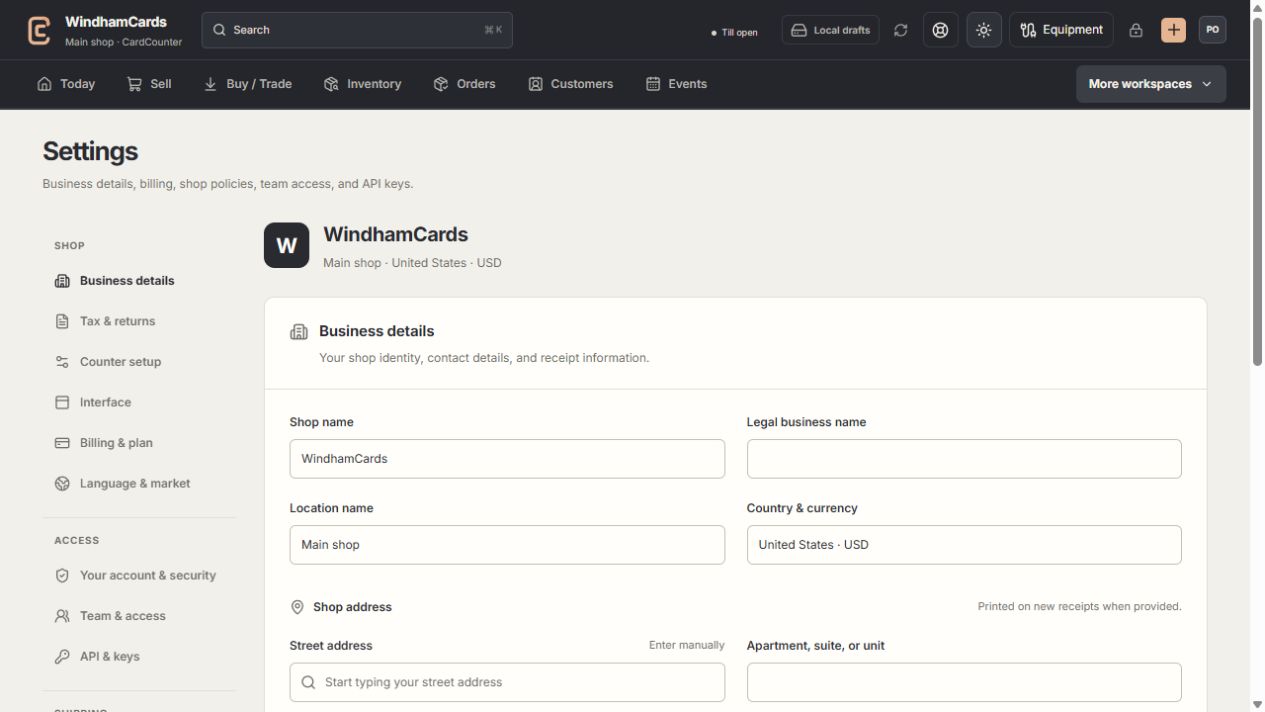
- 1Settings sections
Choose the business, policy, staff, shipping or device setting.
- 2Current values
Check the shop and location before editing a shared setting.
- 3Shop address
Complete the location address and contact fields, then save and read the result.
Keep in mind
Store credit is a recorded customer wallet balance, not cash in the drawer. Loyalty points are separate and convert only through approved reward rules.
Counter approval authorizes a particular location and register with reviewed business policies. Saving all required profile fields is only one prerequisite.
If something goes wrong
Two totals disagree
Check location, date basis, currency, active reservations and whether the record is a draft, pending request or completed result.