Purchasing and supplier receiving
Prepare supplier orders, receive partial deliveries and record incoming stock accurately.
On this page
Before you begin
Open Inventory → Purchasing & receiving.
Owners and managers; stock visibility depends on role. Company feature access and current setup requirements apply.
Step by step
- 1
Prepare the supplier order
Choose the supplier and exact products, expected quantities and agreed costs. Save and review the local purchase order.
- 2
Coordinate the supplier submission
Your team sends or agrees the order with the supplier outside this local preparation flow. A saved purchase order is not proof the supplier received it.
- 3
Record the actual delivery
Select the order and exact lines, count received units and choose destination bins. Record a partial delivery when the rest has not arrived.
- 4
Review remaining quantities
Check received versus expected amounts and keep outstanding lines open as appropriate. Received physical units become stock through the recorded receipt.
- 5
Check costs and history
Inspect the stock and receipt history so known acquisition costs remain traceable. Review discrepancies before closing or cancelling remaining work.
On the screen
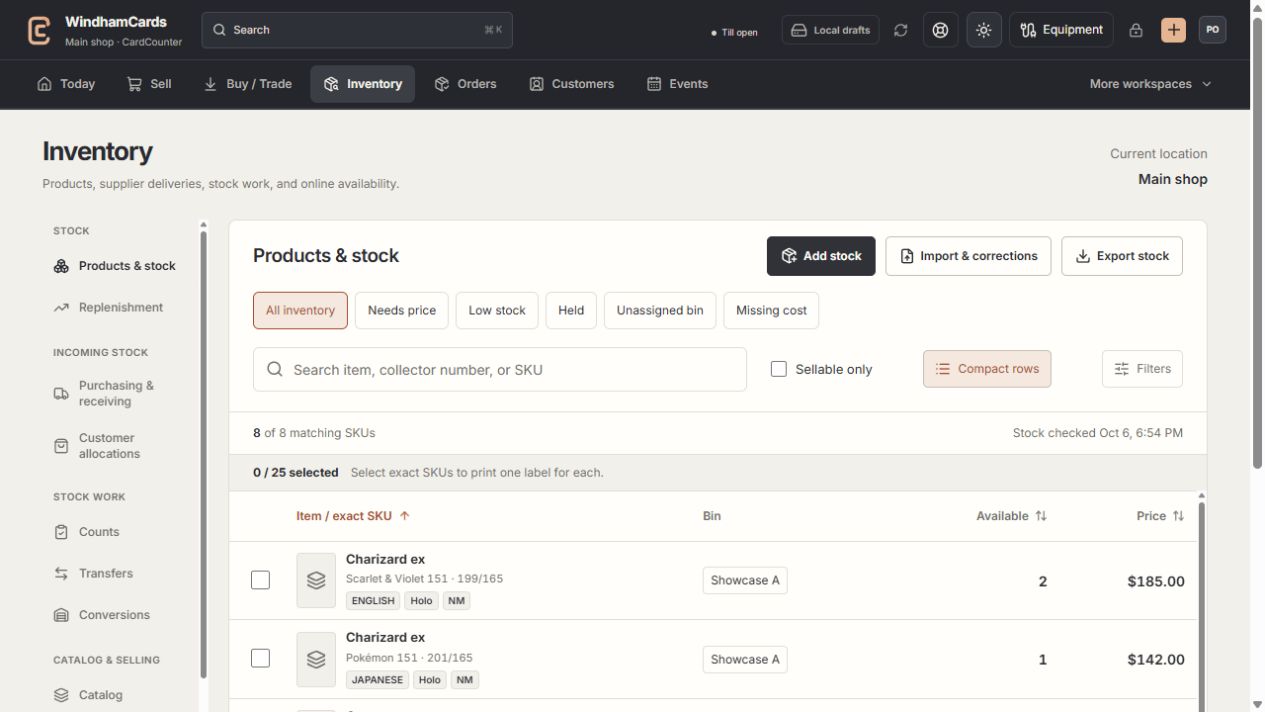
- 1Inventory sections
Move between stock work, pricing, channels, labels and scanning.
- 2Saved views and search
Find missing prices, low stock, holds or an exact shop SKU.
- 3Available stock
Read quantities and physical bins for the exact variant.
Keep in mind
Expected incoming stock is separate from available physical stock. A customer allocation does not change that boundary.
A lost response should be reconciled using the existing order and receipt, not a second physical delivery record.
If something goes wrong
Receiving is unavailable
Review the purchasing readiness panel, exact order state, company access and required stock setup.