Settle a buying payout
Record cash handover or approved store-credit issuance and check any remaining payable.
On this page
Before you begin
Use the accepted collection’s settlement actions.
Staff with buying access; approvals and payouts depend on role. Company feature access and current setup requirements apply.
Step by step
- 1
Confirm accepted terms
Review the customer, current accepted amount, chosen cash or credit mode and exact acquired items.
- 2
Complete the supported settlement
For cash, verify the open drawer and actual handover. For credit, check the intended customer wallet and issue only the agreed recorded amount.
- 3
Read the resulting status
Check whether the acquisition is settled or has an outstanding payable. Do not treat received stock as proof that cash was handed over.
- 4
Verify the linked records
Inspect acquisition, stock receipt, wallet or till history. Use the existing settlement reference if a response is lost.
On the screen
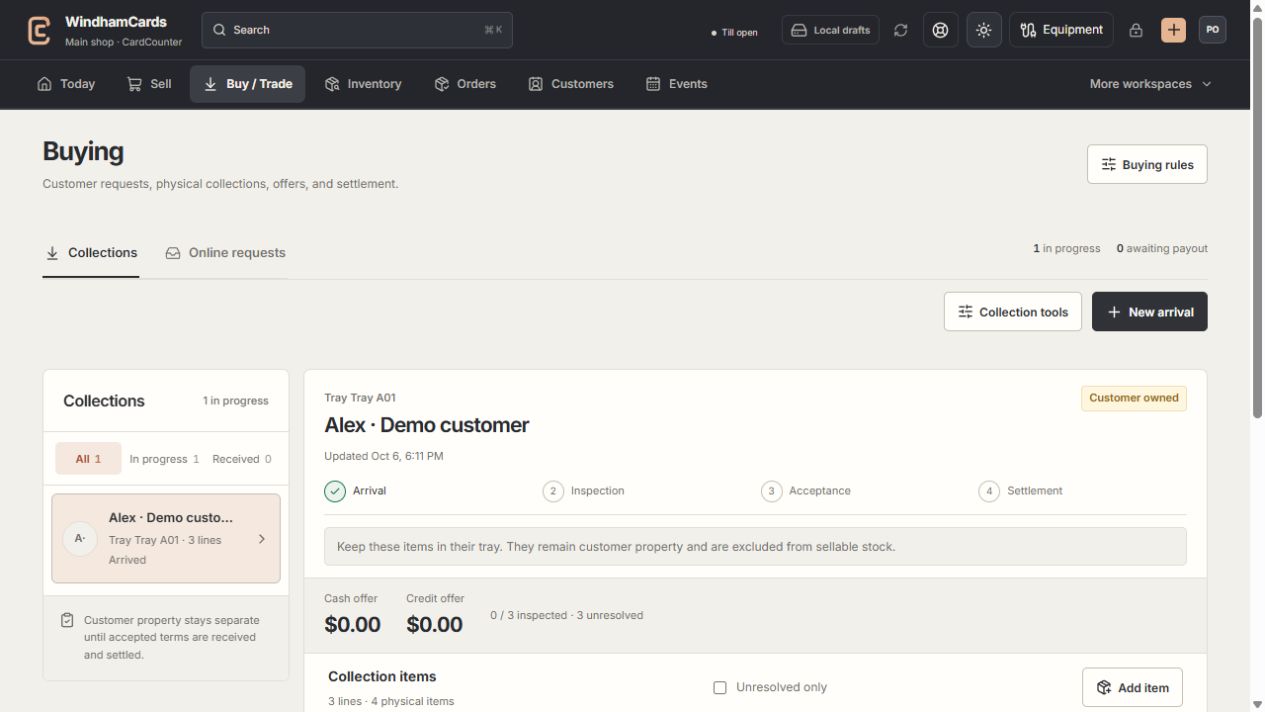
- 1Collection queue
Keep the customer and tray reference attached to the property.
- 2Progress and ownership
Arrival, inspection, acceptance and settlement are separate stages.
- 3Offer summary
Inspect the exact lines and their offers before creating a cash or credit quote.
Keep in mind
Cash payouts reduce physical drawer cash; issuing store credit creates a customer liability. They are different records.
A payout is subject to company access, role permission, shop approval and method readiness.
If something goes wrong
Settlement is pending or unknown
Review the existing acquisition and payout records before sending another request or handing over cash twice.