Configure and inspect shop webhooks
Create permitted HTTPS destinations, save signing secrets and review delivery attempts.
On this page
Before you begin
Open Developer Workbench → Webhooks with the required owner or management permission.
Owners and managers with developer access. Company feature access and current setup requirements apply.
Step by step
- 1
Check signing readiness
The operator must configure webhook signing before an endpoint can be created. Read the current readiness message.
- 2
Prepare a destination
Use a public HTTPS URL on port 443 with no embedded credentials, query string, fragment or private network address. Choose supported events such as system.test and shop.profile.updated.
- 3
Save the signing secret securely
Preserve the one-time secret in the receiver’s approved secret store. The navigation guard requires saving or explicitly acknowledging it.
- 4
Verify a delivery
Use the supported test event and inspect queued, delivered, failed or retry state. Configure the receiver to verify signatures using the maintained webhook guide.
- 5
Review changes and recovery
Follow the endpoint’s permitted pause, edit or secret controls. Reconcile an uncertain mutation before creating another endpoint or rotating again.
On the screen
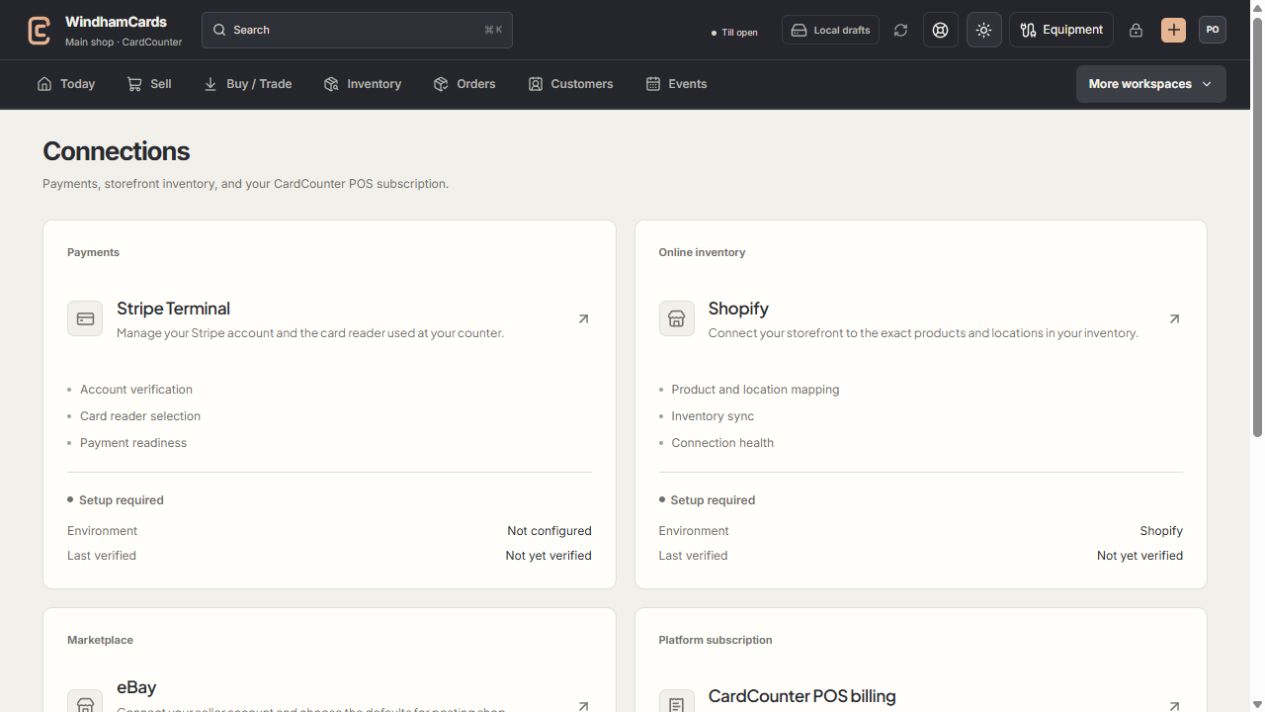
- 1Provider setup
Open the service you intend to configure or review.
- 2Status and verification
Environment and last verification are part of readiness.
- 3Separate billing
Platform billing differs from counter payments and seller postage.
Keep in mind
A queued delivery is not proof the receiver accepted it. Check the recorded attempt and response.
Webhooks deliver only their supported events. Do not assume a new custom event exists because a similar API record exists.
If something goes wrong
Delivery fails
Check public HTTPS reachability, receiver signature handling and the recorded response. Keep signing secrets out of support logs.