Review store-credit balances
Read wallet balances, reservations and recorded issuance or redemption history.
On this page
Before you begin
Select the customer in Customer lookup or the Sell customer panel.
Staff with customer access. Company feature access and current setup requirements apply.
Step by step
- 1
Verify the customer and currency
Check identity before discussing or applying a balance. The available amount can differ from the ledger balance because of active reservations.
- 2
Find the source activity
Review acquisitions, approved reward redemptions, sale tenders or other permitted wallet records that explain changes.
- 3
Use the proper issuance flow
Issue buying credit through acquisition settlement or approved benefits through rewards. Use any management adjustment only with its required reason and authority.
- 4
Redeem through checkout
Attach the customer to the sale, review the current quote and select the supported store-credit tender. Verify the resulting wallet activity and receipt.
On the screen
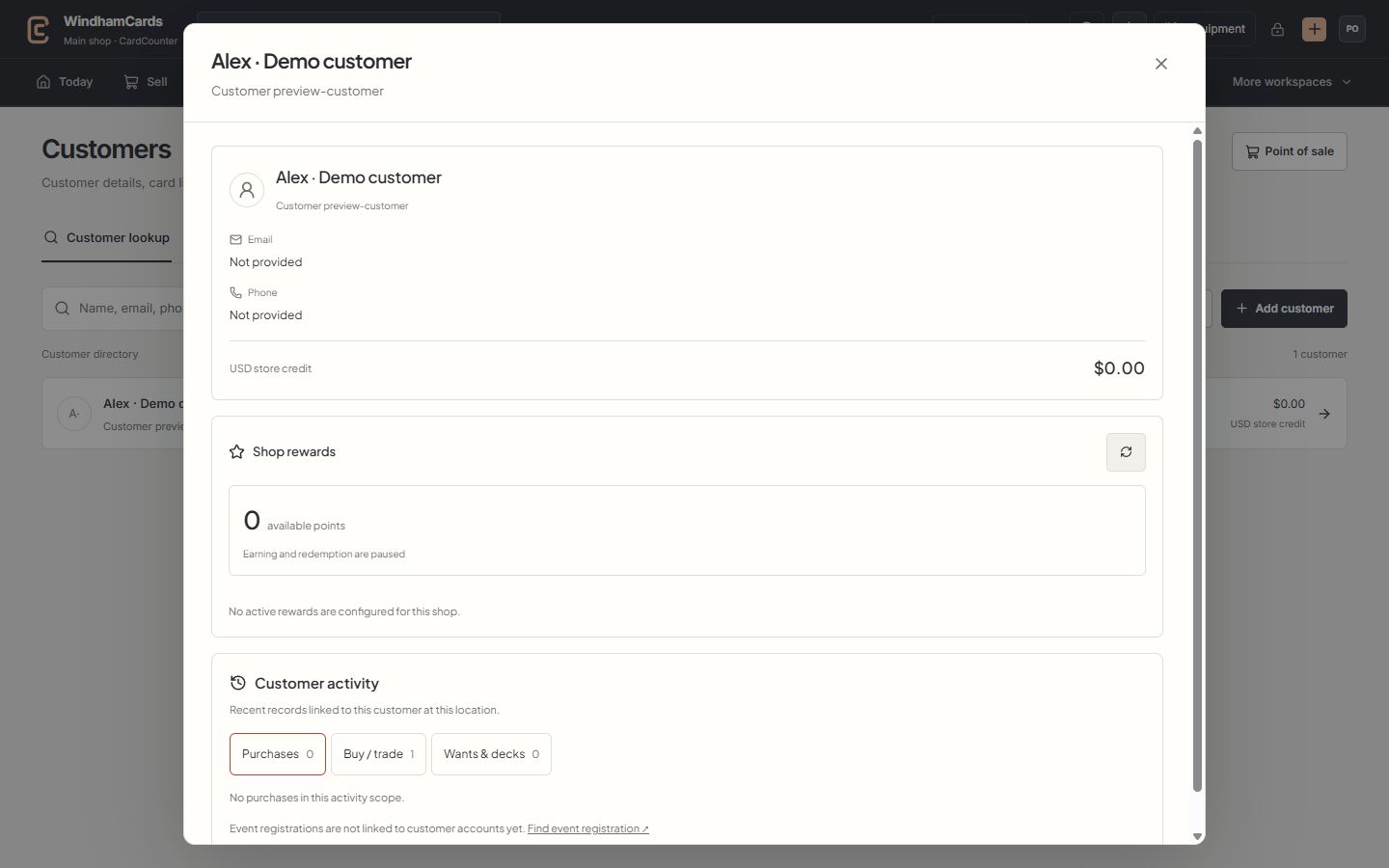
- 1Verified customer
Check the selected name and customer number before attaching a sale.
- 2Store credit
Read the recorded wallet balance and currency; rewards points are separate.
- 3Customer activity
Switch between purchases, buying records, wants and decks at this location.
Keep in mind
A wallet is a recorded customer liability, not loyalty points or drawer cash. Unknown outcomes require reconciliation of the existing credit request.
Shared counter credit does not imply verified Shopify redemption. Check the supported online checkout capabilities separately.
If something goes wrong
A reservation reduces availability
Inspect the associated active cart or supported credit hold. Let it be resolved or expire through its recorded flow instead of issuing replacement credit.