Prepare counter pickups
Move eligible customer order or allocation items into a reviewed pickup workflow.
On this page
Before you begin
Open Orders → Counter pickups.
Owners and managers with order access. Company feature access and current setup requirements apply.
Step by step
- 1
Find the pickup record
Check the customer, source order or allocation and expected item quantities. Read whether payment is already recorded or normal checkout is still required.
- 2
Prepare the physical items
Find exact SKUs and bins, inspect the goods and follow any current reservation or pickup preparation checks.
- 3
Review the customer handover
Verify identity according to shop policy and confirm the permitted pickup or sale action.
- 4
Check completion
Read the recorded pickup and sale state. An allocation-created counter draft still needs a current quote, stock reservation and payment before handover.
On the screen
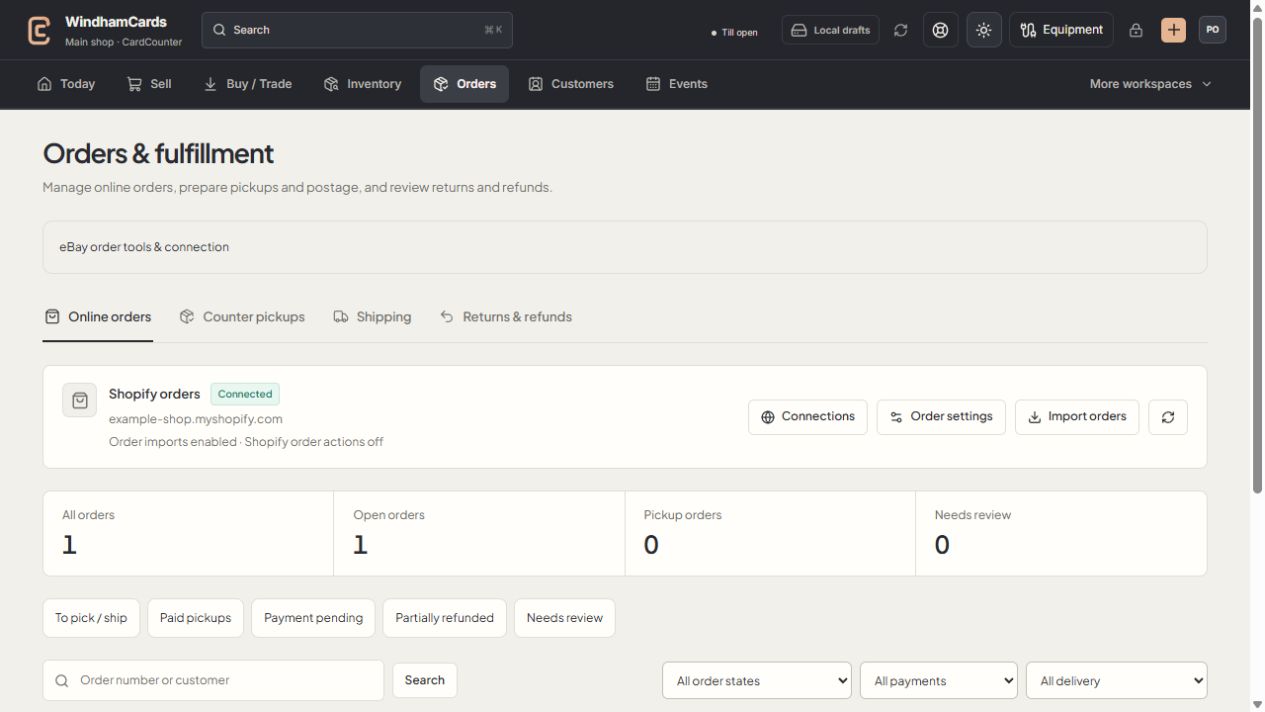
- 1Order workspaces
Online orders, pickups, shipping and returns have distinct records.
- 2Task queues
Separate paid work from pending payments and exceptions.
- 3Filter the records
Use order, payment and delivery filters, then open the intended order.
Keep in mind
A pickup draft is not a paid order. Check the source and payment basis rather than relying on its presence in a queue.
A cancellation follows the supported source record and may have separate stock and refund implications.
If something goes wrong
The expected items are missing
Check supplier receipt progress, the exact location and active stock reservations. Review the source allocation before substituting an item.