Connect an eBay seller account
Authorize the shop seller and review marketplace policies, shipping location and listing defaults.
On this page
Before you begin
Open Connections → eBay as the shop owner.
Owner for connection; permitted owners and managers for listings. Company feature access and current setup requirements apply.
Step by step
- 1
Authorize the intended seller
Choose Connect eBay when configured and review the account authorization. Check whether the environment is sandbox or production.
- 2
Complete the setup checklist
Review marketplace selection, business-policy enrollment and provider permissions. Use the current refresh controls to check saved status.
- 3
Review selling defaults
Choose supported shipping, returns and payment policy defaults and the exact seller inventory location.
- 4
Save and recheck
Confirm the reviewed defaults and refresh connection health. Owners manage authorization; permitted owners and managers can prepare and post inventory.
On the screen
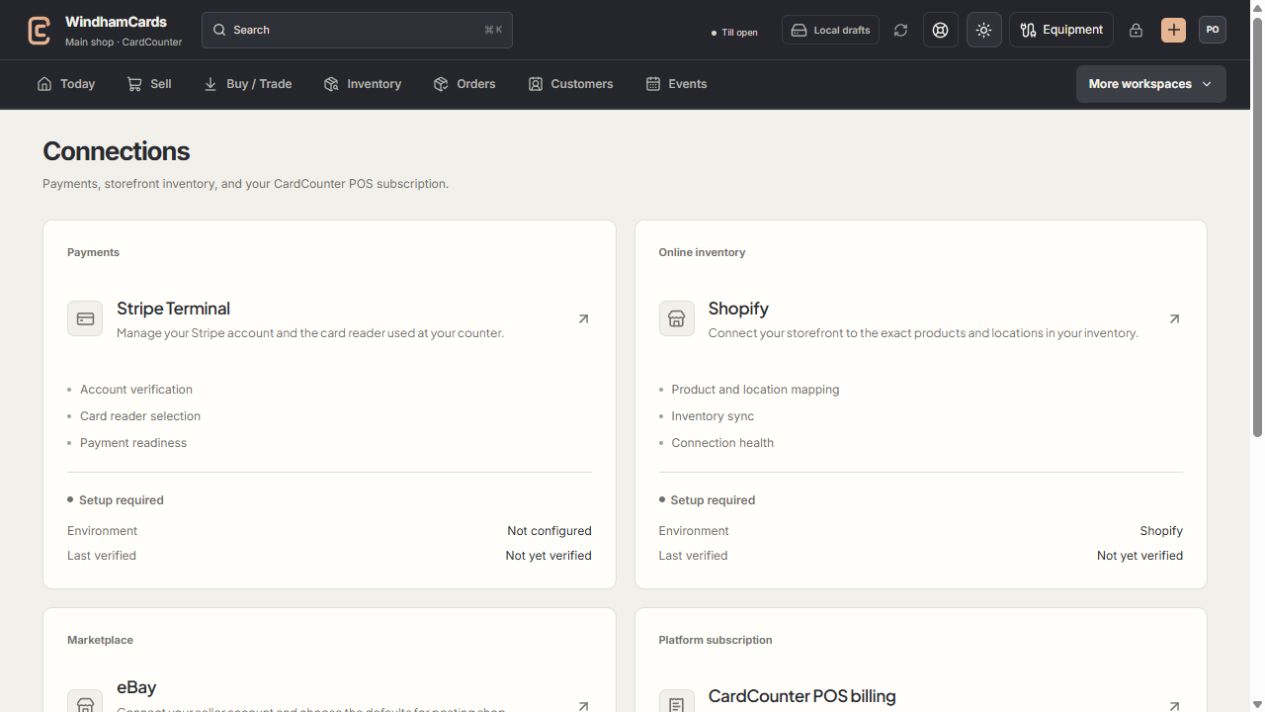
- 1Provider setup
Open the service you intend to configure or review.
- 2Status and verification
Environment and last verification are part of readiness.
- 3Separate billing
Platform billing differs from counter payments and seller postage.
Keep in mind
Listing transport, buyer shipping policy and seller USPS payment authorization are separate.
Changed defaults in another session require a fresh review. Preserve the newer settings rather than overwriting them with a stale form.
If something goes wrong
The seller cannot post a listing
Read the setup checklist for missing policy enrollment, location, account permissions or provider configuration.