Buy, print and reconcile shipping labels
Purchase approved postage from the seller’s account and handle uncertain or cancelled labels safely.
On this page
Before you begin
Use Orders → Shipping with a current quote and verified seller postage authority.
Owners and managers with order access. Company feature access and current setup requirements apply.
Step by step
- 1
Review the purchase
Check order, sender, recipient, package, service, mailing date and current quoted postage. Confirm that your shop’s authorized USPS payment account funds it.
- 2
Purchase once
Submit the reviewed request and wait for Label ready, Not purchased or Purchase needs review. An interrupted request can have an unknown carrier outcome.
- 3
Print the ready label
Open the saved label and verify physical print quality and parcel details. Reprinting a ready label is different from purchasing another label.
- 4
Record fulfillment
Use the order’s supported tracking and fulfillment workflow when appropriate. Label creation is not carrier acceptance or proof of dispatch.
- 5
Review cancellation or refund
Use the supported label cancellation action and inspect Label cancelled, Refund requested or Cancellation needs review. A requested refund is not a confirmed refund.
On the screen
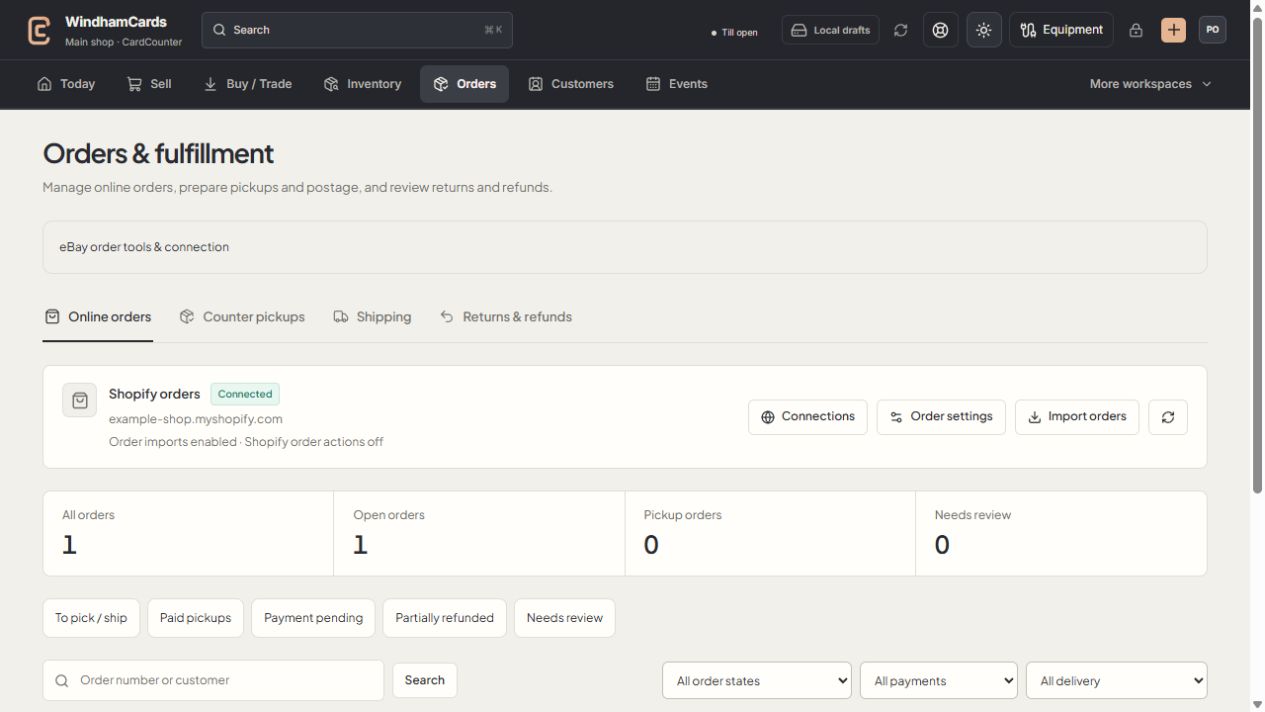
- 1Order workspaces
Online orders, pickups, shipping and returns have distinct records.
- 2Task queues
Separate paid work from pending payments and exceptions.
- 3Filter the records
Use order, payment and delivery filters, then open the intended order.
Keep in mind
USPS purchases are seller funded. CardCounter does not use a platform payment fallback when seller authority is missing or revoked.
Unknown purchase or cancellation outcomes must be reconciled from the saved record before another charge or cancellation is sent.
If something goes wrong
Purchase needs review
Open the existing postage record and use its reconciliation or support action. Do not click purchase again with a new request to test whether it went through.