Language and market settings
Review locale, country, currency and supported market behaviour before changing shop preferences.
On this page
Before you begin
Open Settings → Language & market.
Depends on the setting; shop-wide changes require management. Company feature access and current setup requirements apply.
Step by step
- 1
Review the current market
Check the saved country and currency. Supported data and payment flows can have narrower currency support than the display language.
- 2
Choose supported preferences
Use the available locale and market controls. Read any restriction for changing an established shop’s currency or market.
- 3
Review dependent workflows
Check business address labels, report formatting, event times and connected-provider compatibility.
- 4
Save and verify
Confirm the permitted changes and inspect the resulting display. Refresh any dependent review that became stale.
On the screen
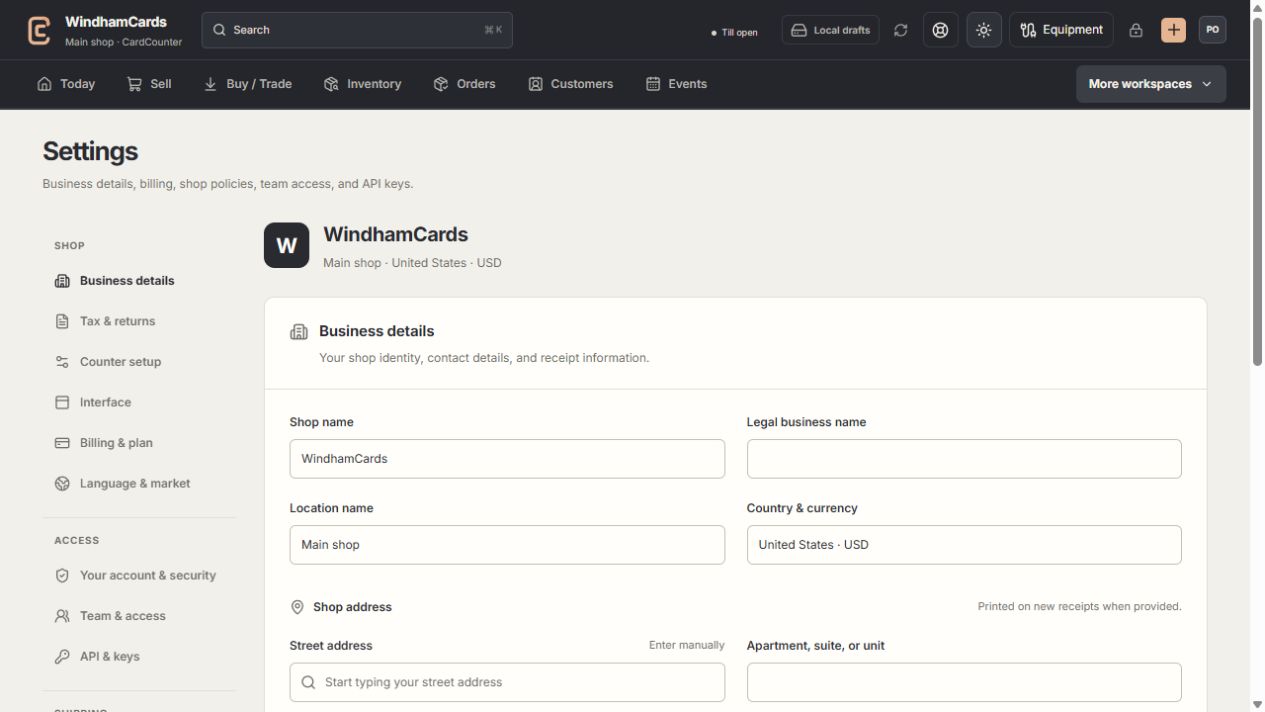
- 1Settings sections
Choose the business, policy, staff, shipping or device setting.
- 2Current values
Check the shop and location before editing a shared setting.
- 3Shop address
Complete the location address and contact fields, then save and read the result.
Keep in mind
A display-language choice does not convert historical money, approve a new country or enable unsupported provider currencies.
Keep currency, time zone and language separate when diagnosing a formatted amount or date.
If something goes wrong
A market cannot be changed
Read the current restriction and contact support. Do not relabel historical currency as a different currency.