Manage shop API keys
Create scoped read-only shop credentials, save the one-time token securely and revoke access when needed.
On this page
Before you begin
Open Settings → API & keys with owner access.
Shop owner. Company feature access and current setup requirements apply.
Step by step
- 1
Review the existing keys
Check name, scopes, creation, expiry, last use and revocation. Do not create a replacement before confirming an uncertain prior creation.
- 2
Choose minimum scopes
Use only the read scopes required by the integration, such as inventory:read and shop:read. Set an appropriate supported expiry.
- 3
Create and save the token
Copy the one-time credential into the integration’s authorized secret store. Keep it out of screenshots, browser URLs, logs and public repositories.
- 4
Verify permitted reads
Use the shop API guide for the exact authentication, pagination and error contract. A key’s scopes do not grant staff or company permissions.
- 5
Revoke deliberately
Use the key’s supported revoke action and verify the resulting state. Update the dependent integration through its secure credential workflow.
On the screen
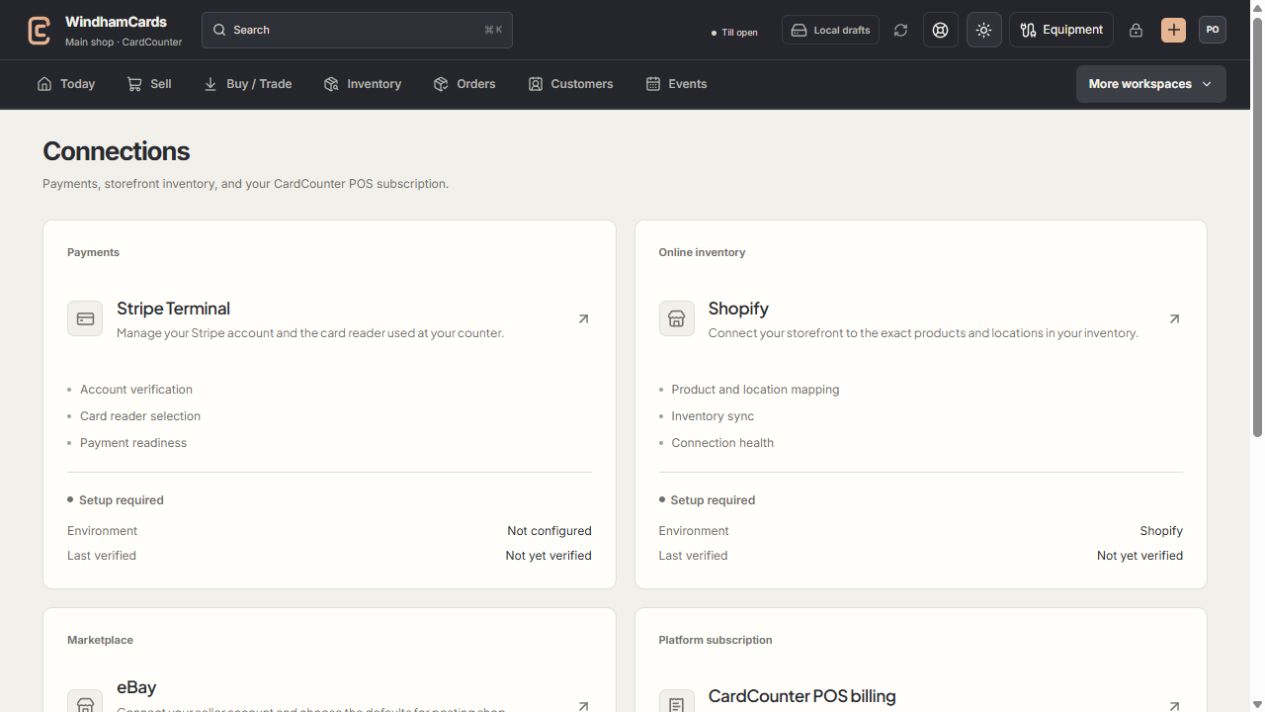
- 1Provider setup
Open the service you intend to configure or review.
- 2Status and verification
Environment and last verification are part of readiness.
- 3Separate billing
Platform billing differs from counter payments and seller postage.
Keep in mind
Shop read-only keys and company market-API credentials are separate products and scopes.
A navigation guard protects a newly issued one-time token. Save or explicitly acknowledge it before leaving.
If something goes wrong
Creation or revocation is uncertain
Refresh the current key list and follow the existing request recovery. Do not issue duplicate keys or expose the token to support.