Read business reports and coverage
Choose a report, review its date basis and scope, and inspect the source records behind its numbers.
On this page
Before you begin
Open More workspaces → Reporting → Business reports.
Owners and managers with reporting access. Company feature access and current setup requirements apply.
Step by step
- 1
Choose the right report
Use the preset that answers your question. Current stock positions and period-based activity have different date meanings.
- 2
Set the period where supported
Review local dates, time zone, location or organization scope and currency. Do not compare totals with different bases as if they were identical.
- 3
Read coverage alongside metrics
Review pending policy, exclusions and known cost coverage. Missing acquisition cost is not automatically zero profit cost.
- 4
Inspect source coverage
Open the coverage details and source-record preview. Follow available record links to explain a total or exception.
- 5
Use exports for detailed reconciliation
Download permitted records if you need to join receipts, tenders, movements or source references outside the screen.
On the screen
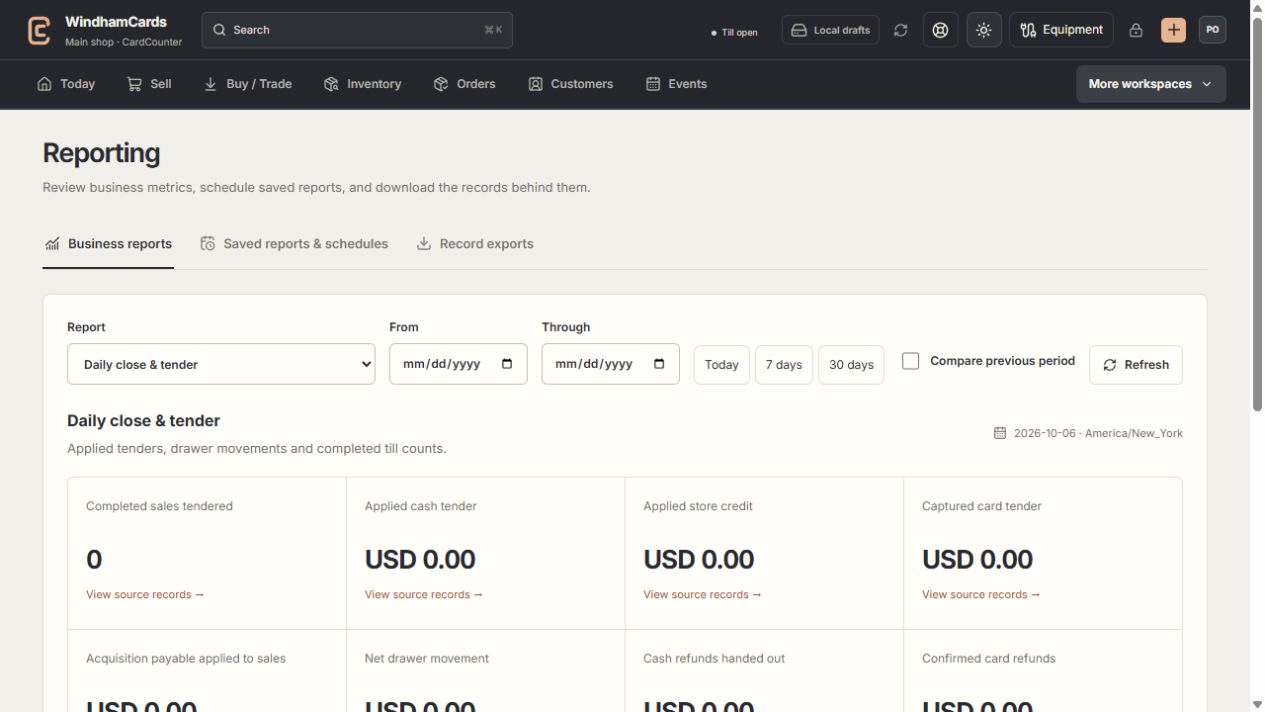
- 1Reporting tools
Live metrics, saved snapshots and record exports serve different tasks.
- 2Report and period
Choose the question, time zone and date basis you need.
- 3Coverage matters
Read source records and exclusions alongside the totals.
Quick reference
| Report | Use it for |
|---|---|
| Online sales & refunds | Supported Shopify and eBay order activity and confirmed refunds. |
| Event tickets & refunds | Registration revenue with payment verification and exclusions. |
| Stock availability | Current physical quantities, reservations and low-stock positions. |
| Inventory cost coverage | Known receipt costs and units still missing reliable costs. |
| Movements & inactivity | Recorded stock changes and time since last movement. |
| Sales by game & category | Exact sold identity with recorded-cost coverage. |
| Buying spend & commitments | Acquisitions, cash payouts, issued credit and outstanding payables. |
| Daily close & tender | Drawer movements, applied tenders and completed counts. |
| Counter sales, returns & tax | Completed sales and confirmed refunds by event date. |
| Outstanding store credit | Organization-wide USD wallet positions and flow. |
Keep in mind
Saved reports are separate daily snapshots; they do not preserve an arbitrary live date range.
Confirmed refunds and pending provider work are handled according to each report’s stated coverage.
If something goes wrong
Two reports disagree
Compare date basis, location, currency, data-through time and coverage gaps. Check whether one report describes a current balance and another describes activity.