Download shop record exports
Export permitted CSV records with identifiers needed to reconcile stock, sales, buying and oversight.
On this page
Before you begin
Open Reporting → Record exports with management access.
Owners and managers with reporting access. Company feature access and current setup requirements apply.
Step by step
- 1
Choose a record group
Catalog & stock, Sales & cash, Buying & credit and Oversight organize the records. Additional receiving, channel, pricing and subscription files appear when available.
- 2
Select the intended file
Read its description and scope. Keep exact SKUs and record identifiers intact when opening CSV data in a spreadsheet.
- 3
Preserve text identifiers
Import collector numbers, receipt references and IDs as text so software does not strip zeros or convert them into dates.
- 4
Reconcile related records
Join by recorded identifiers instead of a customer name or formatted title. Read coverage and audit references before treating an export as a full accounting ledger.
- 5
Handle the download privately
Exports can contain customer or financial information. Store them in an authorized location and share only the intended records.
On the screen
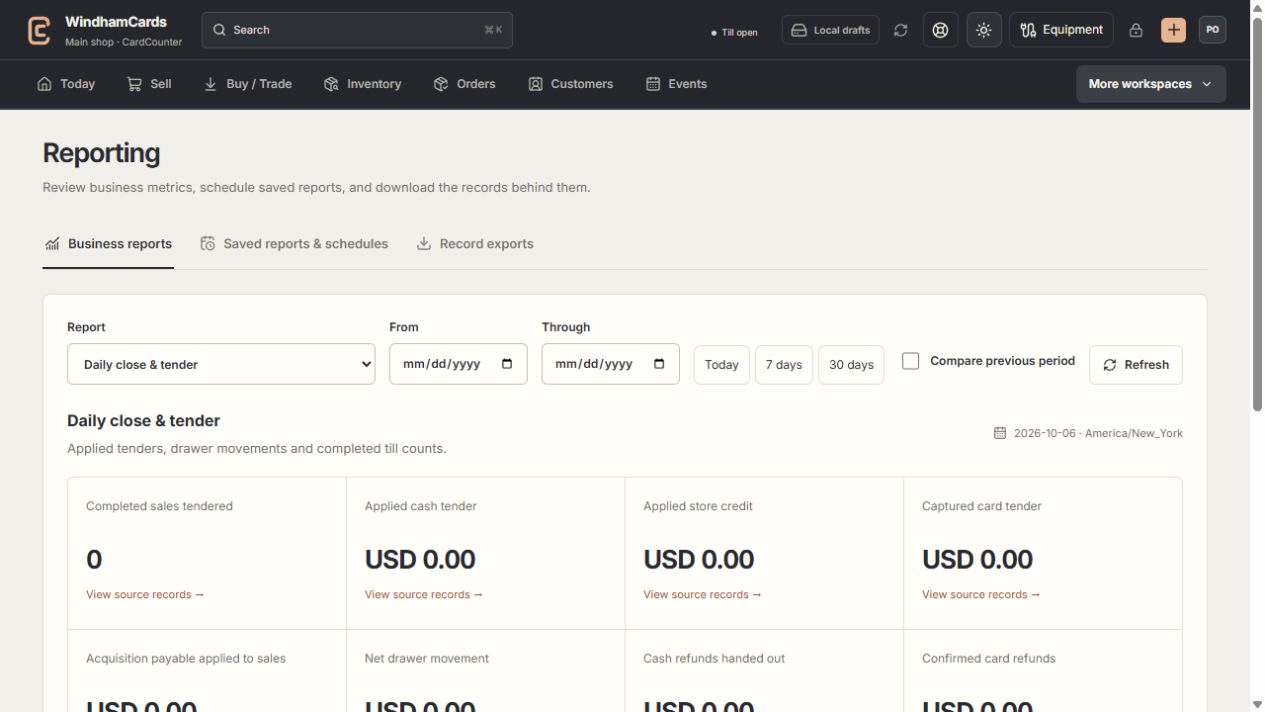
- 1Reporting tools
Live metrics, saved snapshots and record exports serve different tasks.
- 2Report and period
Choose the question, time zone and date basis you need.
- 3Coverage matters
Read source records and exclusions alongside the totals.
Keep in mind
An export is a read of recorded data; it does not change stock or complete a pending provider operation.
Role and company feature access can restrict files or omit sensitive costs.
If something goes wrong
The download is unavailable
Check staff role, feature access and network, then read the actual export error. A public website visitor cannot download shop records.