Temporary prices and scheduled reviews
Set time-limited price overrides and inspect due pricing-review work.
On this page
Before you begin
Open Inventory → Pricing → Temporary prices & bulk tools.
Owners and managers; stock visibility depends on role. Company feature access and current setup requirements apply.
Step by step
- 1
Prepare a temporary override
Choose the exact SKU, override amount, end time and reason. Review its original shop price before confirming.
- 2
Read its active status
The temporary-price list shows original and override prices, expiry and any block code. Do not stack permanent changes over a protected override.
- 3
Review scheduled checks
Use price schedules to choose how often a reviewed source batch is checked. Scheduled work prepares a review rather than making unchecked selling-price changes.
- 4
Process due work when permitted
Use Process due reviews where enabled, then inspect Scheduled review history. Resolve a blocked or expired result before refreshing affected cart quotes.
On the screen
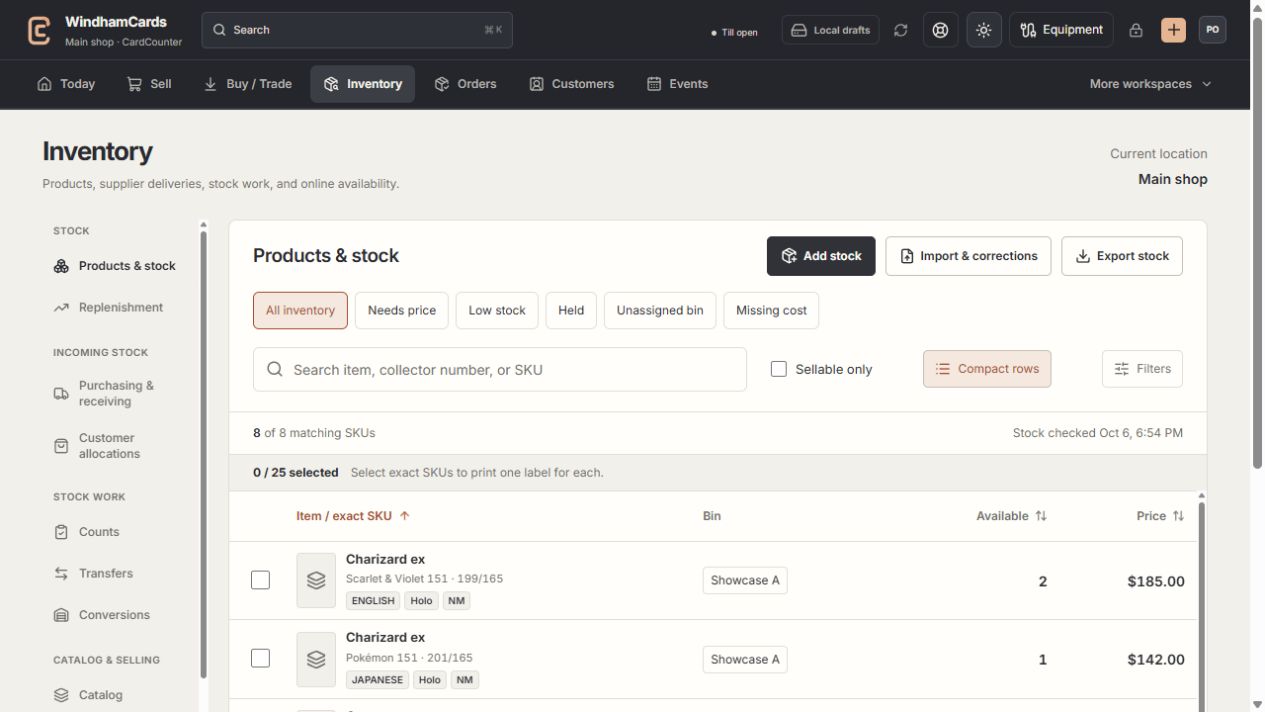
- 1Inventory sections
Move between stock work, pricing, channels, labels and scanning.
- 2Saved views and search
Find missing prices, low stock, holds or an exact shop SKU.
- 3Available stock
Read quantities and physical bins for the exact variant.
Keep in mind
Hosted price mutations can be unavailable even while saved schedules are visible. Follow the workspace’s current readiness message.
A temporary price ending is a recorded operation. If the outcome is unknown, reconcile the existing operation before requesting another.
If something goes wrong
Checkout says a temporary price expired
Ask the owner to process the due pricing work and review its outcome, then refresh the sale quote.