Save tax and return policies
Record owner-reviewed operating policies and the source of your shop’s tax rate.
On this page
Before you begin
Open Settings → Tax & returns.
Permitted management with required owner policy approval. Company feature access and current setup requirements apply.
Step by step
- 1
Review the actual tax rate
Enter the shop’s applicable supported rate and a reliable source. Do not copy a sample rate from a screenshot.
- 2
Choose the time zone
Check the business location’s actual time zone, which affects dates in reports and event scheduling.
- 3
Write the return policy
Use the owner-approved customer policy and review it for the shop’s real operations.
- 4
Confirm and save
Complete the required owner review confirmation and Save action. Read the result and any counter reapproval requirement.
On the screen
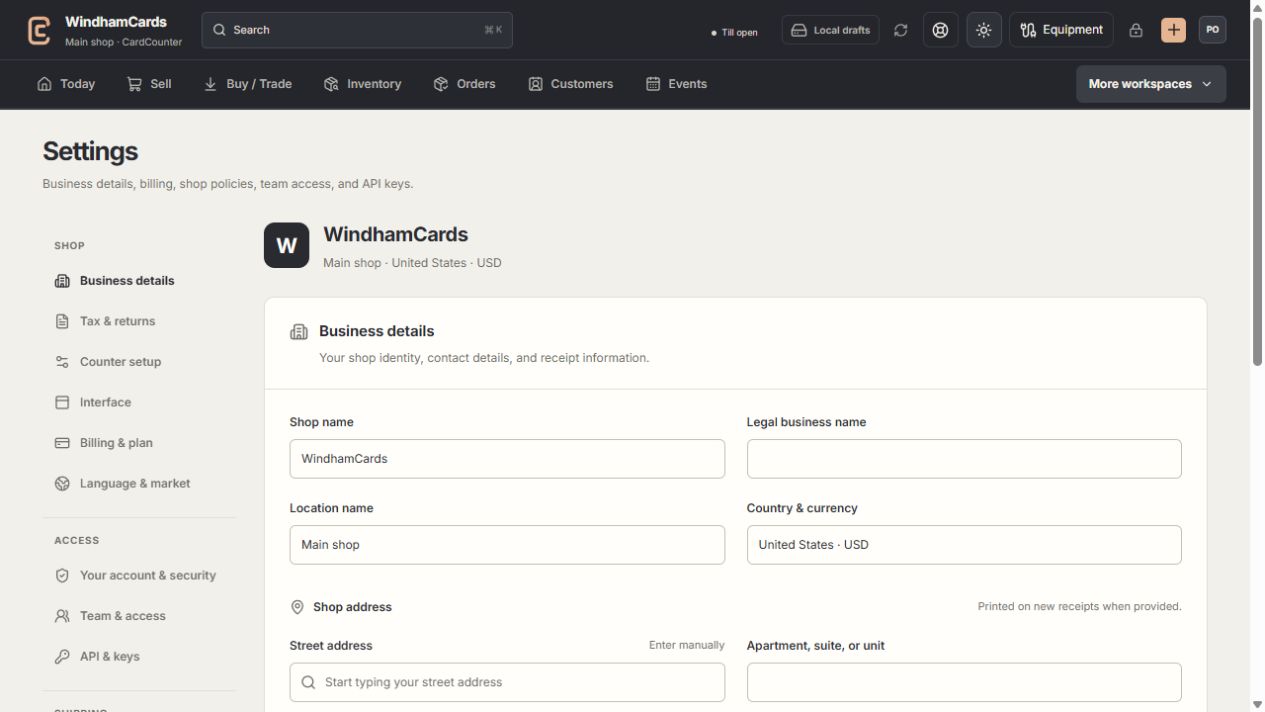
- 1Settings sections
Choose the business, policy, staff, shipping or device setting.
- 2Current values
Check the shop and location before editing a shared setting.
- 3Shop address
Complete the location address and contact fields, then save and read the result.
Keep in mind
CardCounter records your approved policy; this article does not determine your legal or tax obligations.
Changed policies can invalidate a previously approved counter setup. Review approval before taking another transaction.
If something goes wrong
Save is unavailable
Check that the form changed, required fields and owner confirmation are complete, and your role can approve the policy.