Review scans and receive stock
Resolve capture identity and pricing, then confirm an exact inventory receipt.
On this page
Before you begin
Use the computer’s scanner review queue.
Owners and managers with scanner access. Included with Growth.
Step by step
- 1
Select the queued capture
Check the physical card associated with the photo. Review suggested candidates and choose the exact identity only when the printing matches.
- 2
Complete variant details
Confirm language, finish, merchant condition and quantity. Correct an ambiguous match before preparing receipt data.
- 3
Read pricing evidence
Review source freshness and any pending-price state. Identity confirmation and a usable shop price are separate decisions.
- 4
Review the receipt
Choose the intended bin and reliable acquisition cost where supported. Check the final exact SKU and quantity before submitting.
- 5
Verify the result
Read the server confirmation and stock history. If a price remains pending, use the pending-pricing review rather than assuming a guessed market value.
On the screen
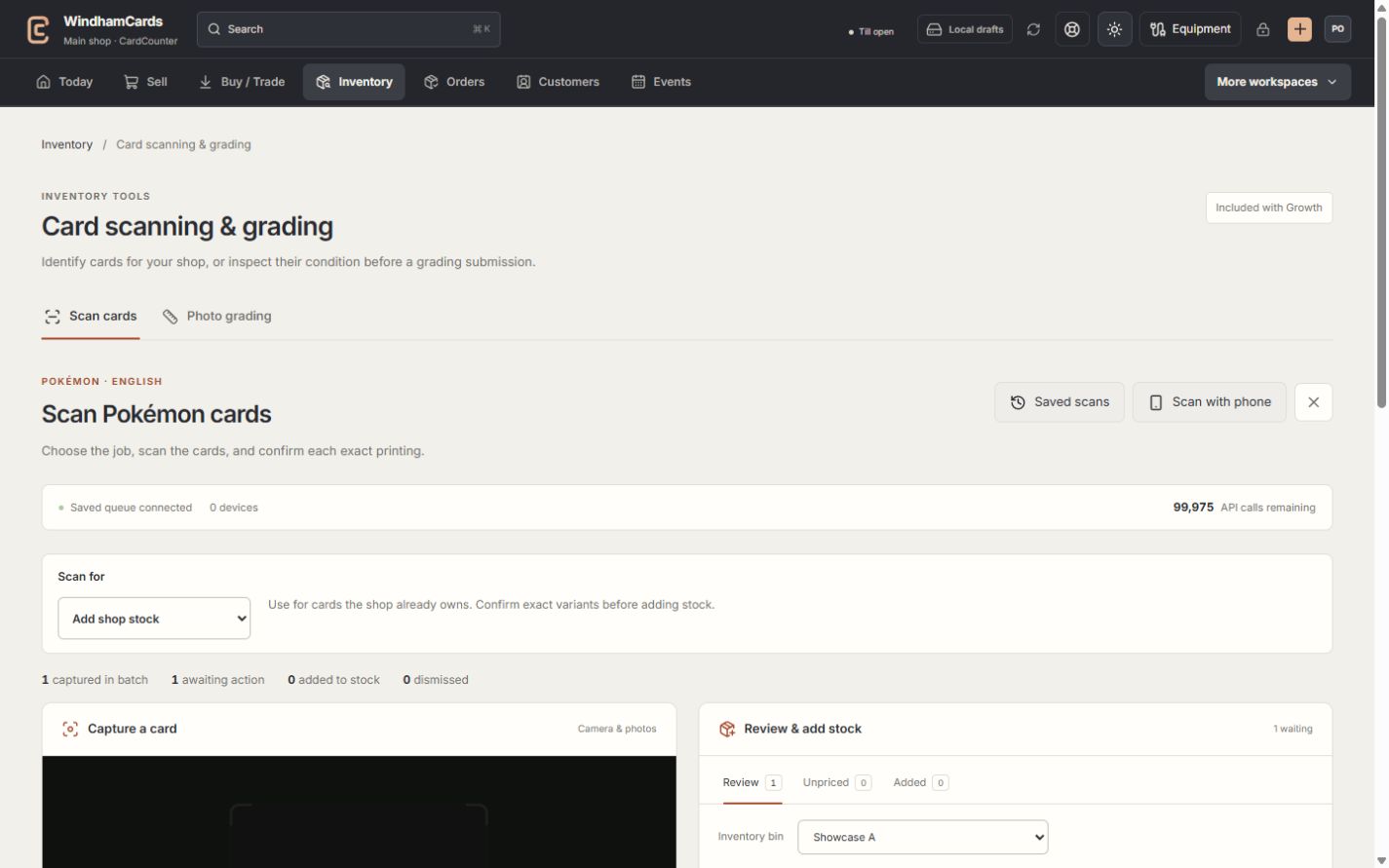
- 1Choose the card tool
Card identification and photo grading have separate review flows.
- 2Phone capture
Pair a phone here, then review its captured cards at the computer.
- 3Review at the computer
Confirm the exact match before preparing an inventory receipt.
Keep in mind
A scanner queue entry is preparation, not a completed acquisition or stock movement. Only receive property the shop owns.
If a receipt response is uncertain, reconcile the existing record before receiving the same captured card again.
If something goes wrong
A scanned item needs pricing
Open the pending-pricing tool, inspect the exact identity and fresh source evidence, then perform the permitted reviewed price action.