Correct a posted opening import
Preview a reasoned reversal of safe opening-import rows and retain the original audit history.
On this page
Before you begin
Open Import & corrections → Import corrections and choose the posted batch.
Owners and managers; stock visibility depends on role. Company feature access and current setup requirements apply.
Step by step
- 1
Identify the mistaken rows
Use the batch and source-row references to find the exact SKU, bin and posted quantity. Review warnings and later movements.
- 2
Enter the correction reason
Record what was wrong and select the intended rows. Do not use a reversal to erase an unrelated later stock movement.
- 3
Read the preview
The server can block a row with later dependent stock activity or a live hold. Review reversible, blocked and already reversed outcomes.
- 4
Confirm and check history
Submit the reviewed correction once and keep its correction ID. Use Recent correction requests to reconcile a reload or lost response.
- 5
Receive a corrected replacement
After a safe reversal, preview a corrected CSV if replacement stock is needed. A reversal appends compensating history rather than editing the original receipt.
On the screen
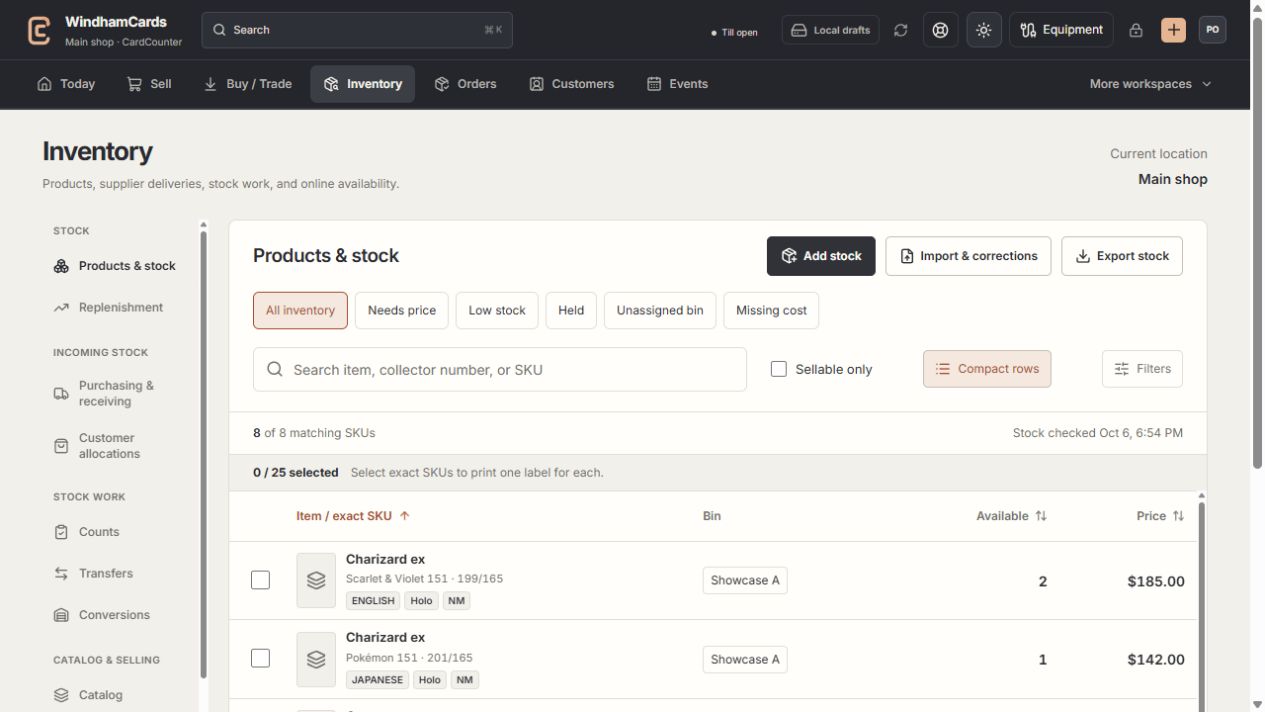
- 1Inventory sections
Move between stock work, pricing, channels, labels and scanning.
- 2Saved views and search
Find missing prices, low stock, holds or an exact shop SKU.
- 3Available stock
Read quantities and physical bins for the exact variant.
Keep in mind
A corrected receipt cost does not silently replace the SKU’s current shared default cost or a manager price.
Blocked rows require manual reconciliation of their dependent records. Do not retry them with new identifiers to evade the check.
If something goes wrong
The correction timed out
Open recent correction history with the same batch. Reconcile its durable outcome before requesting another reversal.