Prepare Shopify product listings
Review exact variants and public stock exposure before confirming listing and sync actions.
On this page
Before you begin
Open Inventory → Online availability → Shopify listing tools.
Owners and managers; account authorizations may require the owner. Company feature access and current setup requirements apply.
Step by step
- 1
Select the exact shop item
Check active state, price, variant details and available stock. Choose the intended mapped Shopify product or preparation action.
- 2
Review listing content
Inspect customer-facing title, variant, media and any required fields. Keep merchant SKU identity separate from an ambiguous card name.
- 3
Review online exposure
Check the channel availability policy and mapped location. Use the current supported quantity controls.
- 4
Confirm and verify
Submit the reviewed action and read its saved request and provider result. Check the actual listing before treating preparation as publication.
On the screen
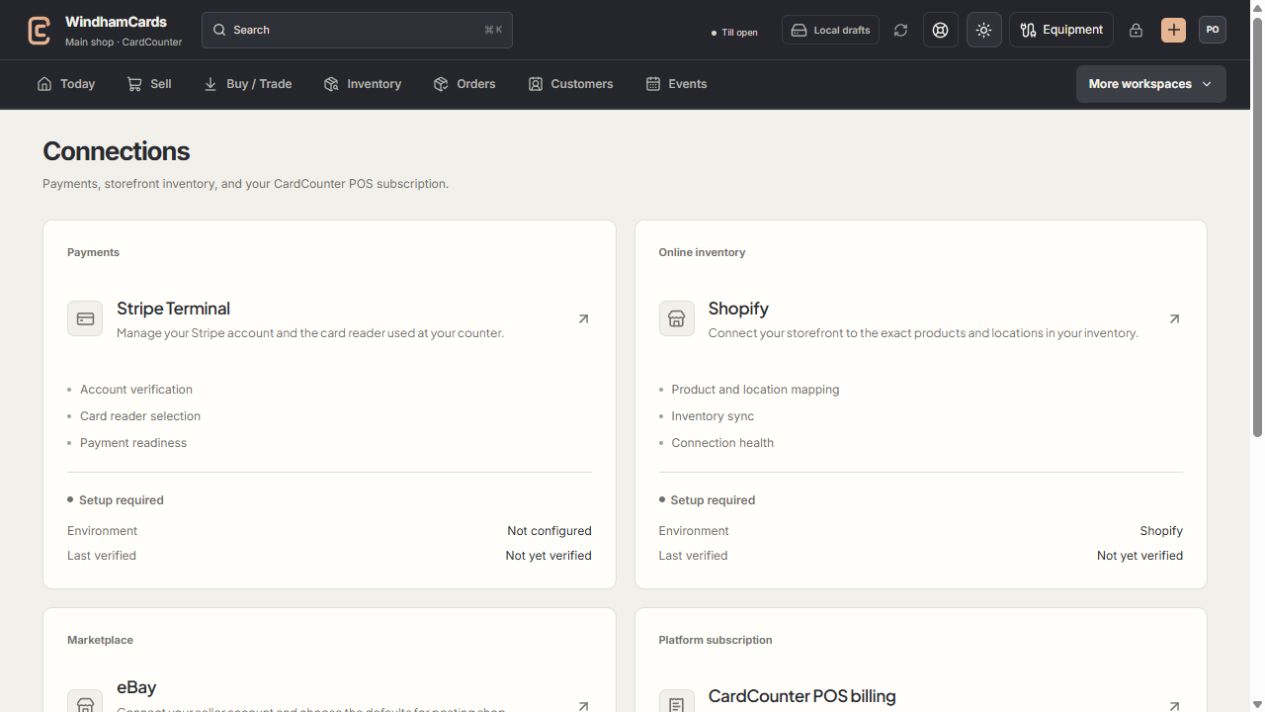
- 1Provider setup
Open the service you intend to configure or review.
- 2Status and verification
Environment and last verification are part of readiness.
- 3Separate billing
Platform billing differs from counter payments and seller postage.
Keep in mind
Preparing a listing does not mean Shopify accepted it. Follow the confirmed provider state.
Stock reserved or sold elsewhere can change the eligible online quantity.
If something goes wrong
Publication is blocked
Read the listing requirements and connection status. Resolve exact mapping, missing fields or stale stock before retrying.