Plan replenishment
Compare stock targets, demand and incoming quantities before preparing purchasing work.
On this page
Before you begin
Open Inventory → Replenishment.
Owners and managers; stock visibility depends on role. Company feature access and current setup requirements apply.
Step by step
- 1
Choose stock targets
Review each exact product’s desired stock position and the supported target settings. Use a realistic shop target rather than a catalog-wide assumption.
- 2
Read the recommendation
Compare available and on-hand units, active commitments and expected incoming stock. Missing inputs should be reviewed before treating a suggestion as an order.
- 3
Select the intended products
Review suggested quantities and the supplier details you will use. Exclude variants that do not match your purchasing intention.
- 4
Prepare receiving work
Create the supported local purchasing draft and review it under Purchasing & receiving. Coordinate with the supplier separately.
On the screen
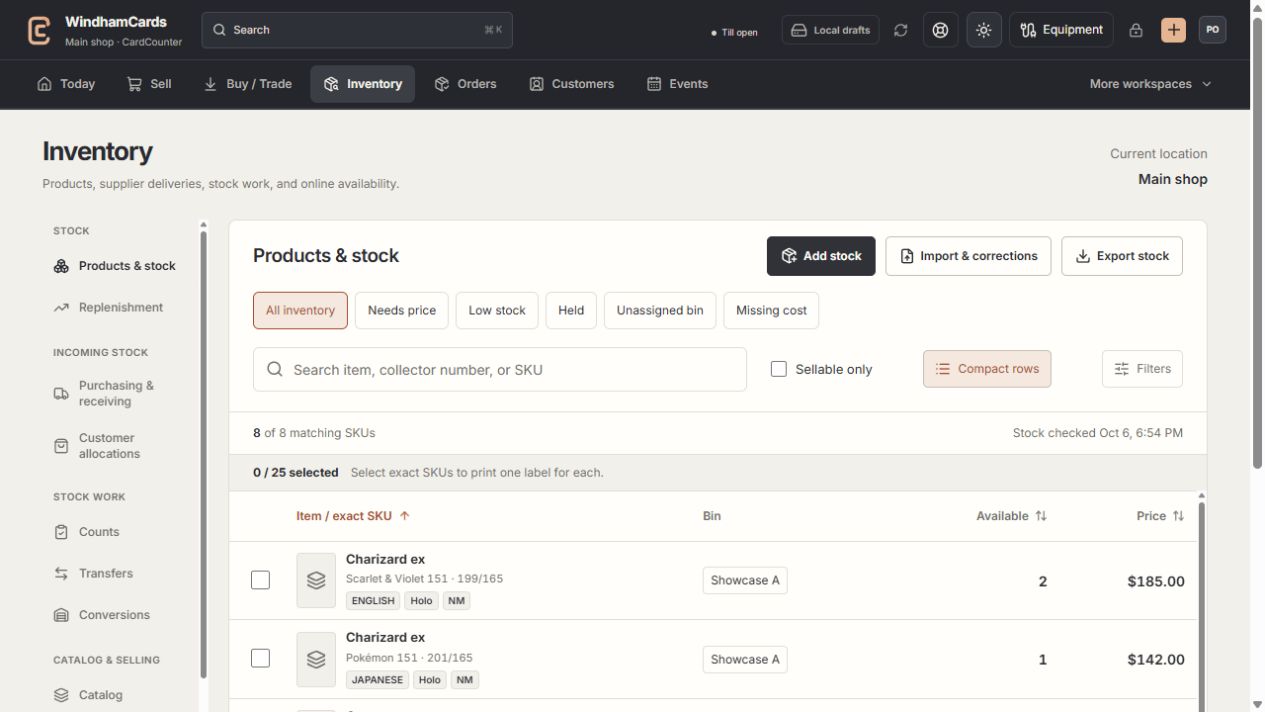
- 1Inventory sections
Move between stock work, pricing, channels, labels and scanning.
- 2Saved views and search
Find missing prices, low stock, holds or an exact shop SKU.
- 3Available stock
Read quantities and physical bins for the exact variant.
Keep in mind
A replenishment review does not itself buy stock or guarantee supplier availability.
Customer want-list interest can inform decisions, but a list is not a paid order or a guaranteed reservation.
If something goes wrong
The suggestion seems too high
Check target settings, outstanding incoming stock and active reservations. Confirm that you are reviewing the correct location and exact SKU.