Manage eBay listings and auctions
Prepare exact shop inventory for Buy It Now or auctions and review ongoing listing activity.
On this page
Before you begin
Open the eBay listing tool in Inventory → Online availability.
Owners and managers; account authorizations may require the owner. Company feature access and current setup requirements apply.
Step by step
- 1
Prepare an exact item
Check SKU, available quantity, condition, title, images and required category aspects. Select the intended listing format.
- 2
Review seller policies and package
Confirm marketplace, shipping and return defaults. Review actual package fields for the seller’s chosen shipping method.
- 3
Review before publication
Check price or auction terms, eligible quantity and customer-facing content. Submit only the intended reviewed listing.
- 4
Follow live activity
Use supported seller listing details, edits, bid activity and alerts. An ongoing auction can restrict edits or cancellation.
- 5
Reconcile sold stock and exceptions
Check provider order and stock records rather than assuming a visible listing quantity is the shop’s current physical quantity.
On the screen
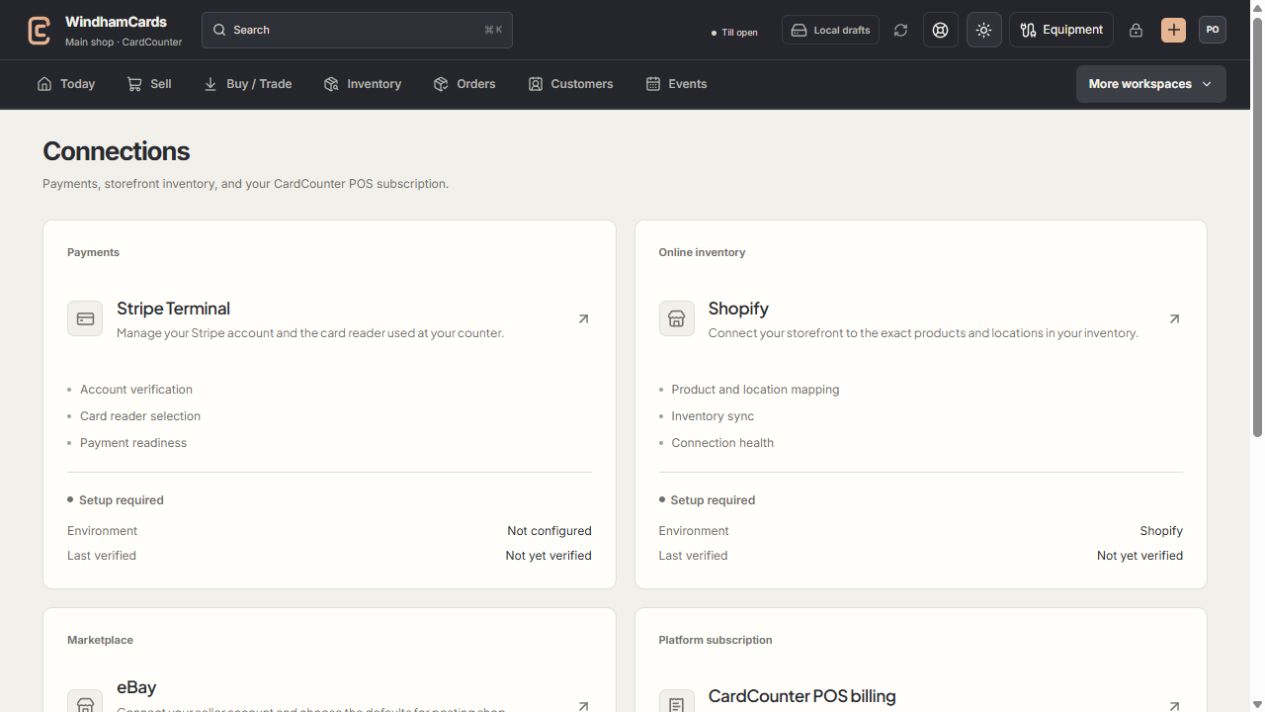
- 1Provider setup
Open the service you intend to configure or review.
- 2Status and verification
Environment and last verification are part of readiness.
- 3Separate billing
Platform billing differs from counter payments and seller postage.
Keep in mind
A saved listing request is not confirmed publication. Check the eBay result and any needs-review state.
Auction and seller-policy restrictions are controlled by the connected provider and current listing state.
If something goes wrong
An edit or listing stays uncertain
Inspect the saved request, seller listing status and alerts. Do not publish a duplicate listing to test the earlier outcome.