Plans, feature access and readiness
Understand company packages, Growth scanning, API allowances and why an included feature can still need setup.
On this page
Before you begin
Open Settings → Billing & plan to read your company’s recorded access.
All staff. Company feature access and current setup requirements apply.
Step by step
- 1
Check the recorded package
Read the current shop package, status and any documented access period. Contact billing support for a change to the company agreement.
- 2
Check Growth tools
Card scanning, photo grading and the required market access are Growth tools. Core does not include them. Availability is checked by the server, not just by the navigation.
- 3
Distinguish permission from readiness
Staff roles, company feature permissions, counter approval and external provider readiness are separate checks. Enabling a company feature does not approve a payment account.
- 4
Review API allowance
Market requests use the company’s available API allowance. Scanner activity and external market integration can share that allowance. Check the current usage and request limits in the app or API response.
On the screen
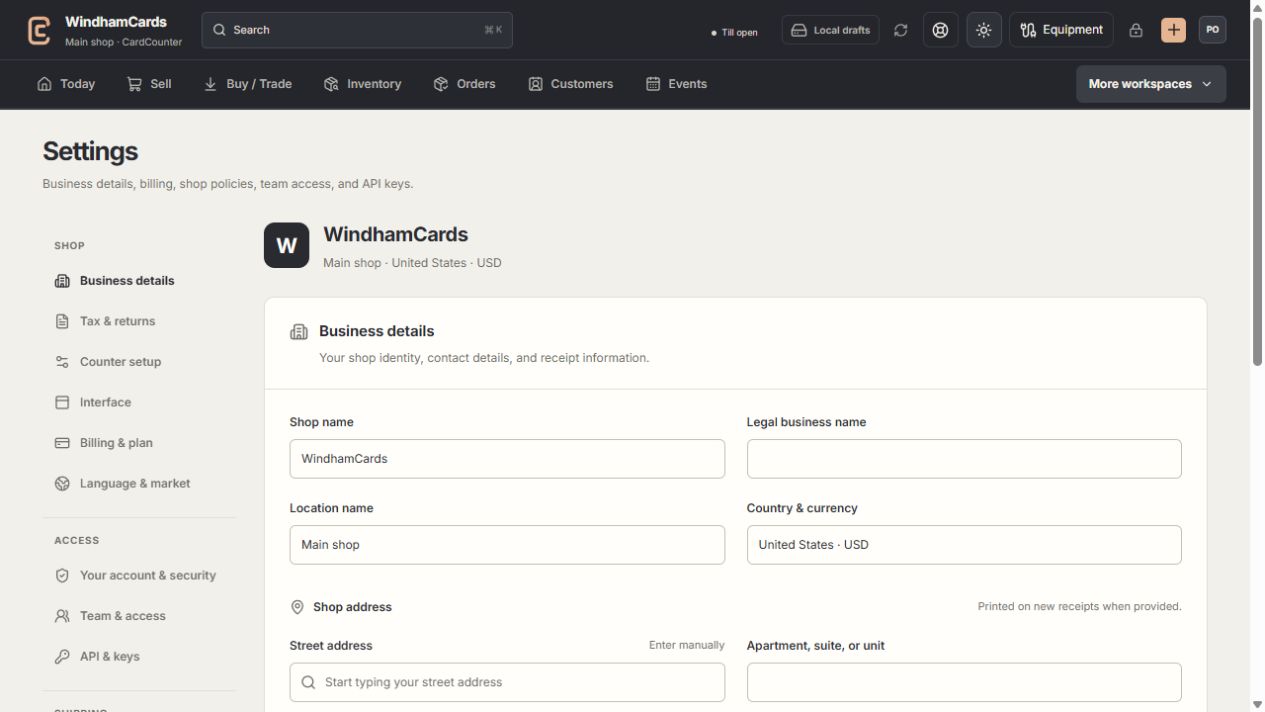
- 1Settings sections
Choose the business, policy, staff, shipping or device setting.
- 2Current values
Check the shop and location before editing a shared setting.
- 3Shop address
Complete the location address and contact fields, then save and read the result.
Keep in mind
The Windows app is included with the company subscription. It requires internet access and the same staff authentication as the web workspace.
Prices and allowances follow the company agreement and current account record. This help page does not quote a new subscription price or promise an add-on.
If something goes wrong
An included feature says unavailable
Read the displayed reason, then ask the owner to verify company access, provider setup and your role. Repeated clicks will not change an access decision.