Collection costs and trades
Allocate a negotiated collection cost and review supported credit trades or direct offsets.
On this page
Before you begin
Open Collection tools for the selected acquisition.
Staff with buying access; approvals and payouts depend on role. Company feature access and current setup requirements apply.
Step by step
- 1
Review the negotiated total
Confirm the accepted quote, exact line quantities and acquisition state before allocating cost.
- 2
Prepare the cost plan
Use the supported allocation method and inspect the resulting per-line costs. Keep the plan tied to the reviewed quote revision.
- 3
Prepare the sale separately
For a wallet-credit trade, use the correct customer and a prepared split sale. A trade link connects the purchase and sale without collapsing their histories.
- 4
Review a direct offset if eligible
A supported cash-offer payable can offset a held sale for the same customer. The sale must cover the entire payable; inspect cash remainder and unchanged tax before confirmation.
- 5
Verify the completed linkage
Check the trade, acquisition, tender and sale records. Reconcile a saved link or offset request before repeating it.
On the screen
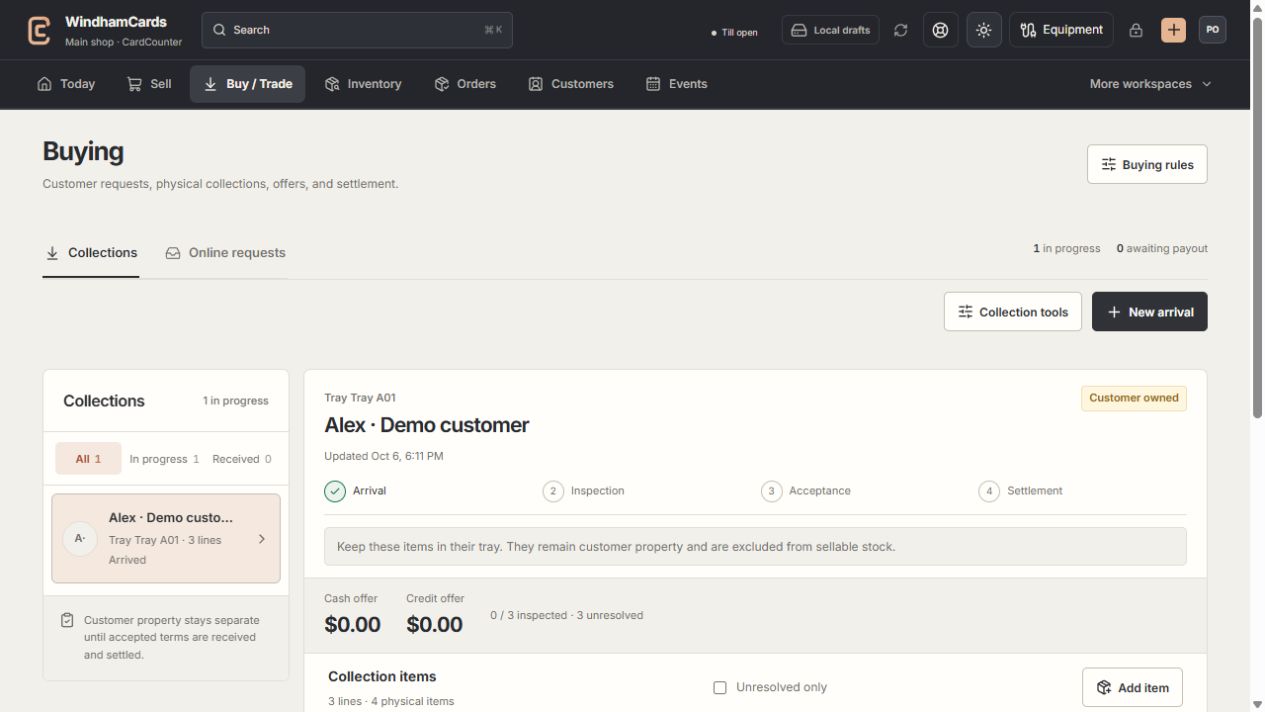
- 1Collection queue
Keep the customer and tray reference attached to the property.
- 2Progress and ownership
Arrival, inspection, acceptance and settlement are separate stages.
- 3Offer summary
Inspect the exact lines and their offers before creating a cash or credit quote.
Keep in mind
A trade is not permission to overwrite the customer’s wallet or acquisition cost. Use the recorded eligible flow.
Availability differs by acquisition state and shop configuration. Read the specific eligibility explanation.
If something goes wrong
No eligible held sale appears
Check that the same customer is attached, the current quote is reviewed and stock is held. Review the payable and total before proceeding.