Identify cards with the scanner
Capture a clear card photo, review exact candidates and prepare an inventory identification.
On this page
Before you begin
Open Inventory → Scanning & grading → Scan cards in your signed-in Growth workspace.
Owners and managers with scanner access. Included with Growth.
Step by step
- 1
Check scanner readiness
The workspace checks your staff session, company Growth access and market connection. Read any access or quota reason before opening capture.
- 2
Capture one card
Choose the supported camera, phone or image flow. Place one card flat in even light, keep all corners visible and remove glare.
- 3
Confirm exact identity
Review candidate names, set, collector number, language and finish. A suggested match is not final until you confirm it against the physical card.
- 4
Review condition and quantity
Enter the merchant condition and intended count. Keep price evidence separate from card identification; missing pricing may need later review.
- 5
Continue through inventory review
Use the supported review and receive workflow and check its confirmed result. Capturing a photo alone does not create physical stock.
On the screen
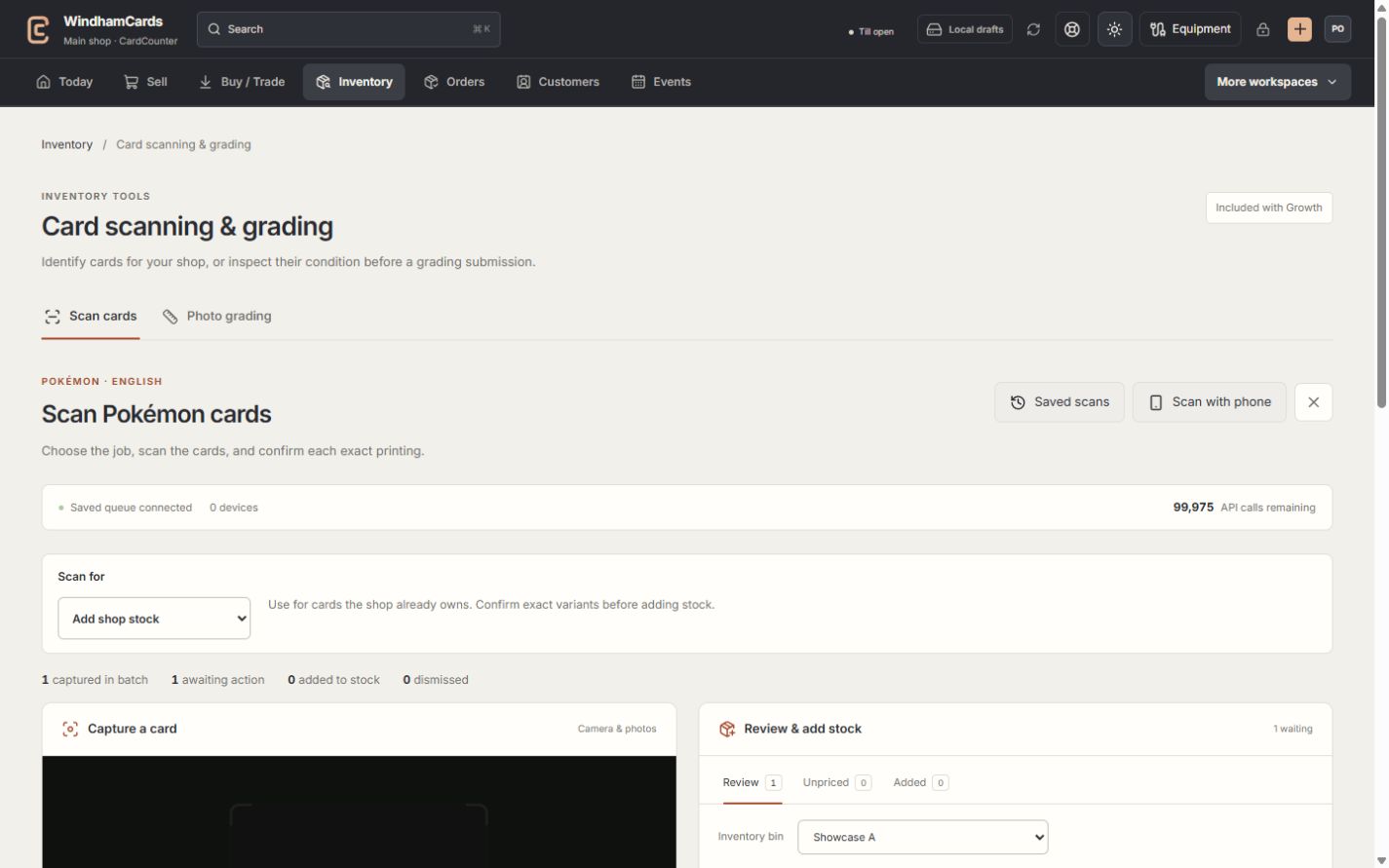
- 1Choose the card tool
Card identification and photo grading have separate review flows.
- 2Phone capture
Pair a phone here, then review its captured cards at the computer.
- 3Review at the computer
Confirm the exact match before preparing an inventory receipt.
Keep in mind
The current scanner is for supported Pokémon identities. A photograph does not authenticate a card or determine an official slab grade.
Market lookups use company allowance. A failed or ambiguous match should be reviewed, not repeatedly sent without changing the capture.
If something goes wrong
No exact candidate is found
Retake the image with readable collector number and set details, or use manual exact identification. Check quota and connection errors separately.