Quote packages and letters
Choose the actual mailpiece type, measurements and handling indicators before selecting a USPS service.
On this page
Before you begin
Open Orders → Shipping for an eligible order with saved addresses.
Owners and managers with order access. Company feature access and current setup requirements apply.
Step by step
- 1
Describe the physical mailpiece
Choose the supported package or letter flow and enter actual weight, dimensions and mailing date. Do not classify a rigid protected card as an ordinary flexible letter merely to obtain a lower rate.
- 2
Review letter indicators
For letters, disclose rigidity, uneven or loose contents, closures, plastic wrapping and any self-mailer or booklet characteristics shown in the form.
- 3
Request current rates
Review service names, eligible options, price and quote expiry. A service can be unavailable for the entered shape, destination or account permissions.
- 4
Choose the intended service
Confirm the mailpiece matches the quoted requirements and proceed through the label purchase review only when seller-funded postage is ready.
On the screen
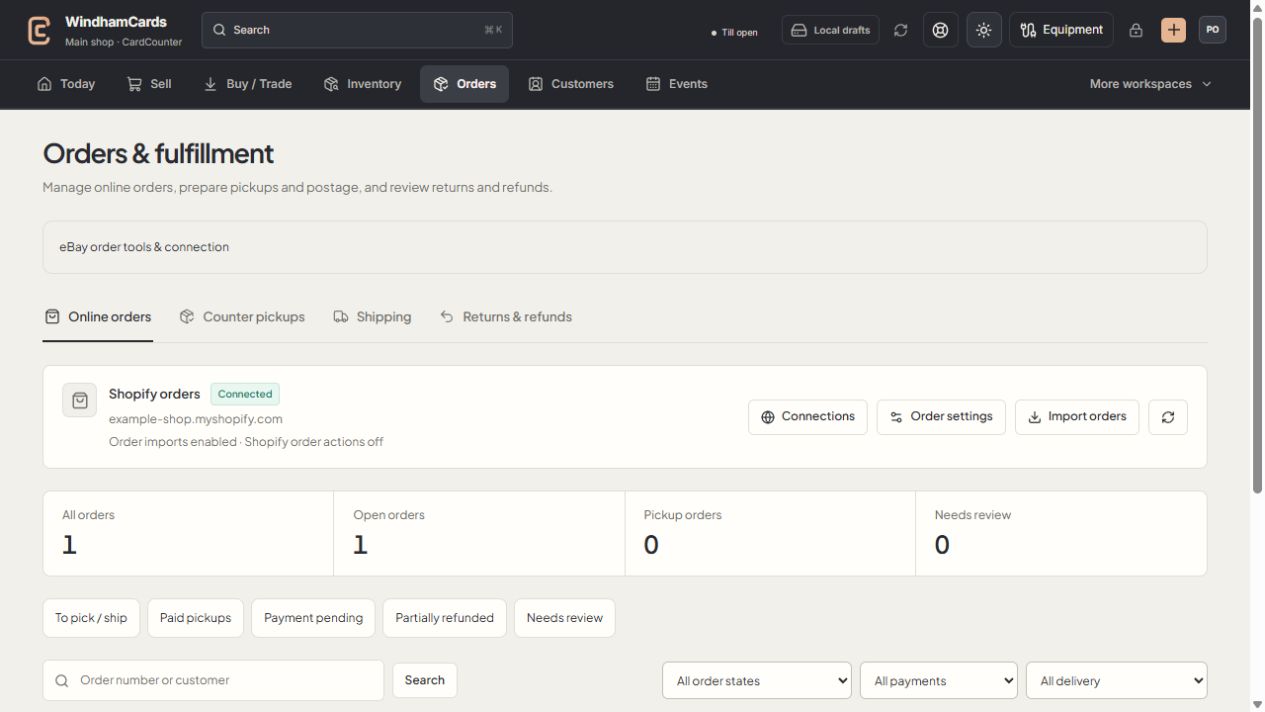
- 1Order workspaces
Online orders, pickups, shipping and returns have distinct records.
- 2Task queues
Separate paid work from pending payments and exceptions.
- 3Filter the records
Use order, payment and delivery filters, then open the intended order.
Keep in mind
A shown rate is a quote, not purchased postage or proof of carrier acceptance. Use the carrier’s current mailing rules for eligibility.
The supported choices depend on account enrollment and the platform’s live carrier readiness.
If something goes wrong
No rates match
Read the actual error and recheck saved addresses, measurements, mailpiece indicators, mailing date and service eligibility.