Use the Developer Workbench
Inspect permitted API activity, events, deliveries and worker health in a full workspace or bottom drawer.
On this page
Before you begin
Open Developers from More workspaces or the available bottom Developer Workbench control.
Owners and managers with developer access. Company feature access and current setup requirements apply.
Step by step
- 1
Choose the view
Use the supported request, event, delivery, inventory and health panels. The drawer and full workspace use the same authorized shop scope.
- 2
Filter the activity
Choose the available date range, record kind or search filter. Follow older/newest pagination instead of assuming the first loaded page is complete.
- 3
Inspect a record
Select a row for request, response, event or delivery details. Read status and source coverage before interpreting a chart total.
- 4
Review safe integration actions
API keys and webhook changes require their own permission and confirmations. Preserve one-time secrets before navigating away.
On the screen
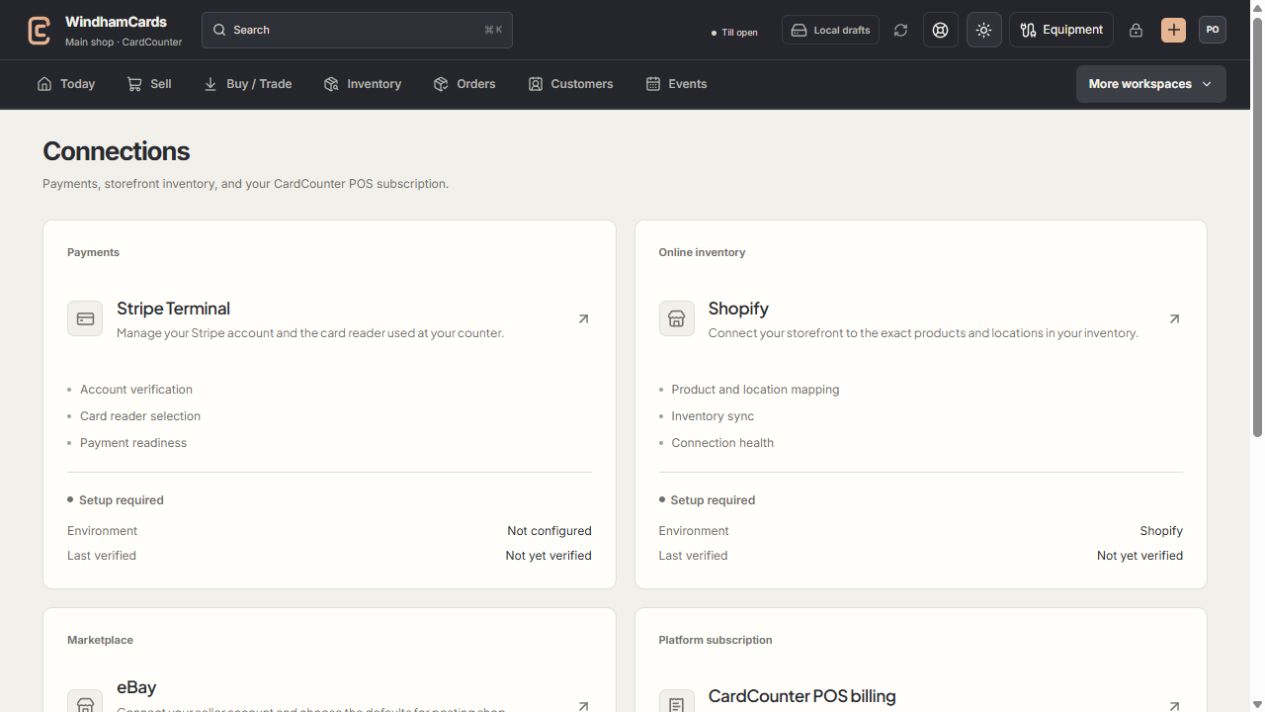
- 1Provider setup
Open the service you intend to configure or review.
- 2Status and verification
Environment and last verification are part of readiness.
- 3Separate billing
Platform billing differs from counter payments and seller postage.
Keep in mind
Developer tools are for permitted owners and managers. They do not grant an API client write authority.
Unknown mutation outcomes and unsaved forms have navigation guards. Use the stated recovery rather than discarding a pending action.
If something goes wrong
A panel is unavailable
Check feature access and the current session. Worker not configured differs from a worker that ran and failed.