Prepare sender and recipient addresses
Save the correct ship-from location and review order delivery details before requesting postage.
On this page
Before you begin
Open Settings → Shipping and the selected order’s Shipping workspace.
Owners and managers with order access. Company feature access and current setup requirements apply.
Step by step
- 1
Review the sender
Use the actual ship-from address, contact and required business information. A seller shipping from home should use the actual mailing origin permitted for their account.
- 2
Review the recipient
Check the customer’s delivery address, unit, postal code and country against the order. Use supported address validation where available.
- 3
Save the reviewed address
Finish the address edit before requesting rates. Changes to saved address revisions can invalidate an earlier quote.
- 4
Recheck before purchase
Compare sender, destination, mailing date and package information on the purchase review. Fix an address before buying rather than editing a printed label.
On the screen
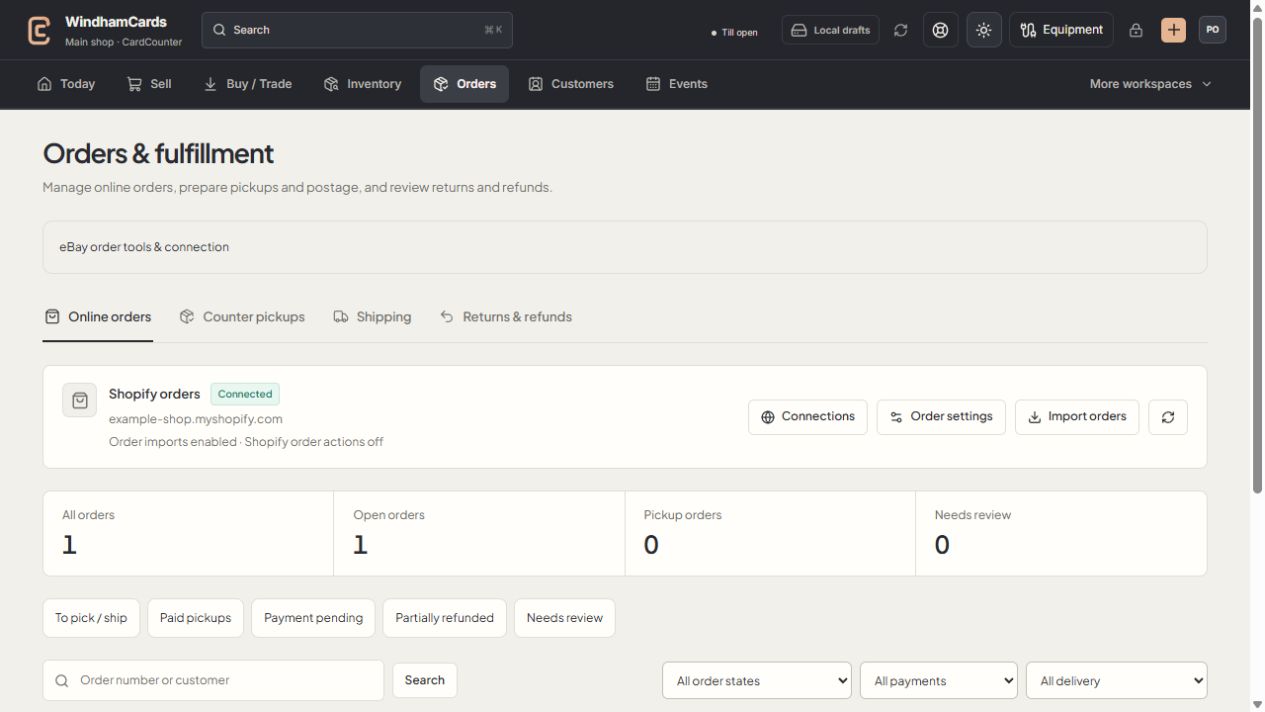
- 1Order workspaces
Online orders, pickups, shipping and returns have distinct records.
- 2Task queues
Separate paid work from pending payments and exceptions.
- 3Filter the records
Use order, payment and delivery filters, then open the intended order.
Keep in mind
A rate quote is tied to its reviewed inputs. Address edits require a fresh eligible quote.
Address validation helps formatting and deliverability checks; it does not confirm the customer’s identity or consent to a different destination.
If something goes wrong
The old quote cannot be used
Save the current address and request rates again. The quote may have expired or no longer match the saved inputs.