Find and manage customers
Search verified customer records and review their credit, purchases, buying activity and lists.
On this page
Before you begin
Open Customers → Customer lookup.
Staff with customer access. Company feature access and current setup requirements apply.
Step by step
- 1
Search for a match
Use name, email, phone or customer number. Wait for the current search result and check identifiers before creating another account.
- 2
Open the customer profile
Review contact details and available wallet information. Read purchase, buy/trade and wants/decks tabs within their stated location scope.
- 3
Add or update permitted details
Use the profile’s available actions and enter verified contact information. Do not use a transaction note as a substitute for an account field.
- 4
Attach during a sale
Return to Sell and attach the same customer through Customer. Read any attachment error so a disabled action has a clear next step.
On the screen
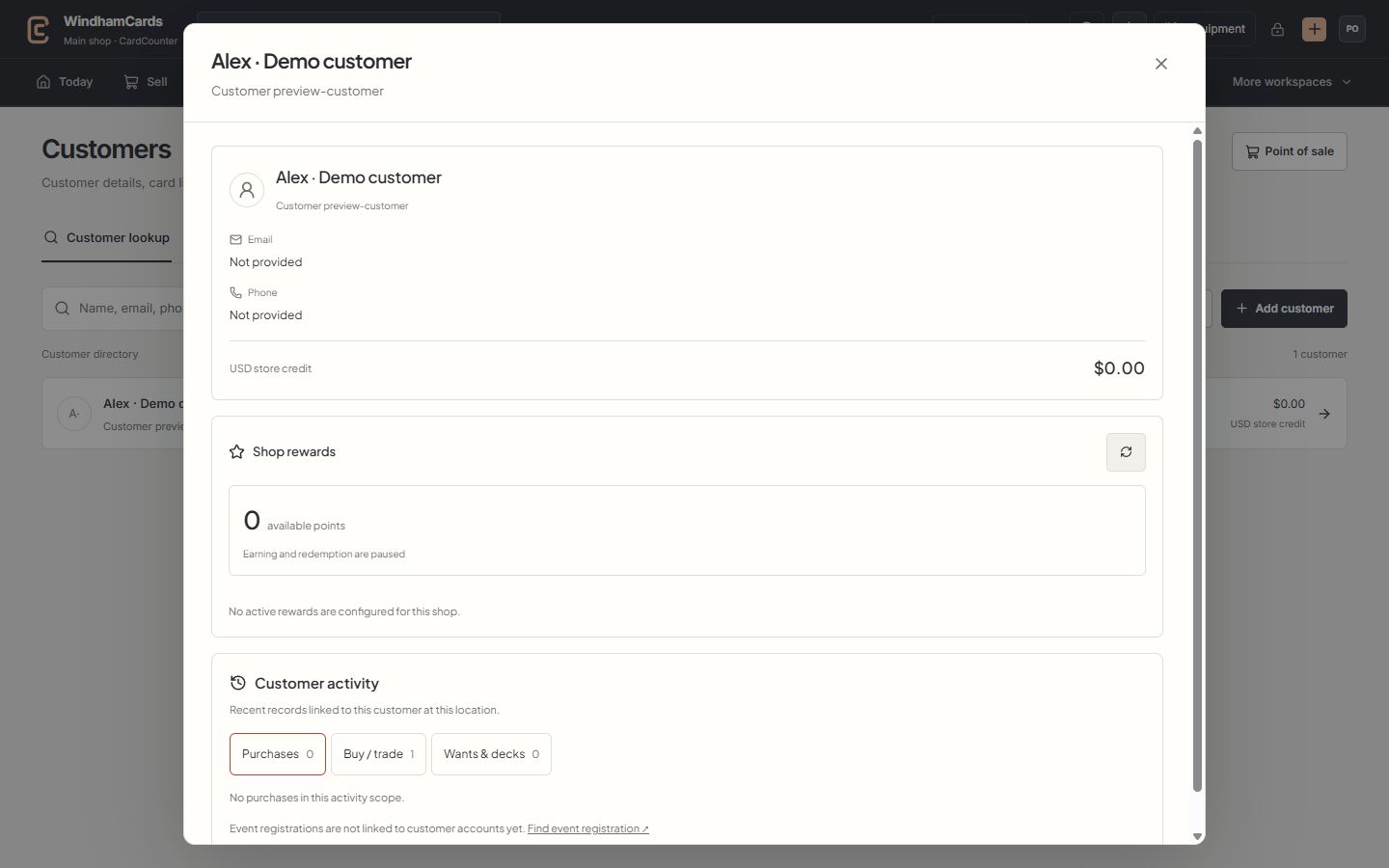
- 1Verified customer
Check the selected name and customer number before attaching a sale.
- 2Store credit
Read the recorded wallet balance and currency; rewards points are separate.
- 3Customer activity
Switch between purchases, buying records, wants and decks at this location.
Keep in mind
Event registrations are not automatically linked to customer accounts. Use event registration search to find a guest when needed.
A customer balance and activity list can have different scopes. Read the currency and location notes before comparing them.
If something goes wrong
The directory shows no match
Clear filters, check spelling and try a verified email, phone or customer number. Confirm the correct shop before creating a new account.